

Field reference / Rules Version 1.0
Rules Reference
How Not To Get Fired
September 2026 15 sections + glossary
Find a rule ↓You do not need to memorize this manual or read it cover to cover before playing. Learn the game with the How to Play booklet. Use this Rules Reference when a timing question, unusual interaction, or rules disagreement comes up. The extra detail is here so you do not have to remember it.
Version 1.0 · September 2026
Find it. Settle it. Keep playing.
Learning your first game? →Jump to a section
Reference / 01
Using This Rules Reference
Search / index ↑The Rules Reference is the detailed companion to the How to Play booklet.
The How to Play teaches the core game. This manual is for the moments when everybody already knows how a turn works, but something strange happens and someone asks:
“Okay, but what happens now?”
This reference explains timing, card interactions, unusual situations, multiplayer sequencing, Incapacitation, Mayhem and Fix interactions, and other rules questions that may come up during play.
The How to Play Still Applies
The Rules Reference does not replace the How to Play.
All core rules and terminology established in the How to Play remain in effect unless an official rule or card effect specifically changes how something works.
Terms such as Active Job, Active Hire, Inactive Hire, Incapacitated Hire, participating Hire, Clocked In, Preparation Window, Mayhem Window, Recovery Window, Required Hires, Qualification, and Profit keep the same meanings throughout both manuals.
This book simply goes deeper.
Read the Rule That Applies to the Situation
You do not need to read the Rules Reference from beginning to end before playing.
When a question comes up, find the section that covers the situation and use the most specific rule provided there.
- A question about when opponents may play Mayhem belongs in the Mayhem and timing rules.
- A question about whether a Hire can recover belongs in the Incapacitation rules.
- A question about several effects happening at once belongs in the timing and effect-resolution rules.
The goal is to settle the question and get everyone back to making terrible staffing decisions as quickly as possible.
Follow the Actual Effect
When a card or rule tells you to do something, resolve what it actually says.
Do not add extra effects because the artwork, card name, flavor text, or situation makes it look like something worse should have happened.
The How to Play already establishes this principle for Mayhem: a Mayhem card does only what its effect says.
Rules text is what matters.
Management strongly recommends not letting the illustrations testify.
If the Answer Is Not Here
The printed Rules Reference is intended to settle normal rules questions during play.
If a new interaction, unusual card combination, or later clarification is not covered here, the current official rules and rulings can be found at:
extremelybadhires.com/rules
The How to Play identifies that page as the home for current rules, expanded examples, FAQs, and updated rulings.
Somewhere, somehow, somebody will still find a situation we did not anticipate.
With this staff, that was probably inevitable.
Reference / 02
The Golden Rule and Rule Priority
Search / index ↑Most of the time, the normal game rules and card effects work together without a problem.
When they do not, use the rules in this section to determine what takes priority.
The Golden Rule
If a card specifically contradicts a general game rule, follow the card for that effect.
The card changes only the rule it specifically addresses. Any other rule continues to work normally.
For example, the normal rules say a Fix cannot interrupt a Job, the Mayhem Window, or another effect while it is resolving. If a card specifically says it may be played at one of those times, follow that exception for that card. It does not also let you ignore targeting restrictions, required costs, staff limits, or other rules the card did not change.
Specific exception beats general rule.
HR calls this flexibility.
Everyone else calls it why this manual exists.
An Exception Changes Only What It Says
A card does not erase an entire rule just because it changes one part of it.
If an effect allows something that is normally prohibited, that permission applies only as far as the effect says it does. Rules the effect does not mention still apply.
Apply the exception. Keep everything else.
Apply Every Effect That Can Legally Apply
If two rules or effects do not actually contradict each other, apply both.
Do not ignore one effect just because applying both is worse, better, or stranger. An effect only stops another effect when the rules or card text actually say that it does.
Cannot Beats Can
If one applicable rule or effect says something can or may happen and another applicable rule or effect says that same thing cannot happen, the prohibition wins.
A permission does not make a prohibited action legal. The restriction remains in place unless another effect specifically says it ignores, removes, or creates an exception to that restriction.
Example: An Incapacitated Hire cannot participate in Jobs. An effect that simply lets you choose a Hire to participate does not make an Incapacitated Hire eligible. The effect would need to specifically override that restriction.
Decisions Already Made Stay Made
Some parts of the game are determined at a specific point and are not checked again later unless a rule or effect specifically says to do so.
The clearest example is Clocked In.
Once a crew is Clocked In, the Job's Qualification or No Qualification effect has already been determined. If Mayhem later removes, returns, or Incapacitates the Hire who provided the matching Qualification, the Job does not check the Qualification again.
A later effect can change what happens next. It does not automatically rewrite a decision the game already made.
Do As Much As You Legally Can
When an effect has more than one instruction, resolve those instructions in the order they are written.
If one instruction is impossible when you reach it, skip only that impossible instruction and continue resolving any later instructions that can still happen, unless the card clearly makes the later instruction depend on the earlier one.
This rule does not let you play a card illegally. If playing a card requires a legal choice, target, or cost, you must be able to satisfy that requirement before you play it.
For example, a Fix that requires you to choose an Incapacitated Hire cannot be played if you have no legal Incapacitated Hire to choose. But if a Job effect is already resolving and one part of that effect cannot happen, resolve the other parts that still can.
Impossible is not the same as optional. You do not invent a replacement effect unless the card tells you to.
When Two Effects Still Conflict
If two effects still cannot both be followed after applying the rules above, use the timing and effect-resolution rules to determine what happens.
Do not settle the interaction by choosing whichever result is more convenient.
Management already tried that.
It is why Legal is involved now.
Quick Priority Check
- Is one rule a specific exception to a general rule? Follow the specific exception.
- Can both effects legally happen? Apply both.
- Does one effect permit something while another says it cannot happen? Cannot wins.
- Was a decision already locked in earlier, such as the Job effect chosen at Clock In? Do not recalculate it unless instructed.
- Is one instruction impossible during resolution? Do as much as you legally can.
- Still unresolved? Use the timing and effect-resolution rules.
Reference / 03
Timing and Resolving Effects
Search / index ↑Most rules questions in Extremely Bad Hires come down to one thing:
When does this happen?
Use this section whenever several cards, rules, or effects are trying to do things around the same time.
Resolve One Effect at a Time
When a card or game effect begins resolving, finish resolving it before moving on to another effect unless a card specifically says otherwise.
This includes the normal rule that a Fix cannot interrupt a Job, the Mayhem Window, a Mayhem card, or another effect while it is already resolving unless a card specifically creates an exception.
Start an effect. Finish that effect. Then move on.
Nobody cuts the line unless the card specifically gives them permission.
Follow Instructions in Order
When a card contains more than one instruction, resolve those instructions in the order they are written.
Finish one instruction before moving to the next. If an instruction changes the game state, use that new game state when resolving the instructions that follow.
Example:
An effect says: Draw 1 card. Then discard 1 card.
Draw the card first. That newly drawn card is part of your hand when you choose what to discard. You do not choose the discard before drawing.
Apparently even chaos has an order of operations.
Do As Much As You Legally Can
Once an effect has legally begun resolving, carry out as much of it as you legally can.
If an instruction is impossible when you reach it, skip that instruction and continue with any later instructions that can still happen. If a later instruction clearly depends on the failed instruction happening, that dependent instruction does not happen either.
Example:
An effect says: Choose a participating Hire. Incapacitate that Hire. Draw 1 card.
If the chosen Hire cannot legally become Incapacitated when that instruction is reached, the Incapacitation does not happen. You still draw the card unless the card specifically makes the draw depend on that Hire actually becoming Incapacitated.
Playing a Card Is Different From Resolving It
You must be legally allowed to play a card before its effect begins.
Any required choices, legal targets, and required costs must be available when the card is played. Once the card has legally been played, use the normal effect-resolution rules.
This prevents: “I cannot actually do the first part, but I want the good part at the end.”
Accounting has rejected that interpretation.
Mayhem Resolves Before the Next Opponent Acts
During the Mayhem Window, opponents act one at a time beginning with the opponent to the Active player's left.
When an opponent plays Mayhem:
- Play the Mayhem card.
- Make any required choices.
- Resolve that Mayhem completely.
- Place it in that player's discard pile.
- Then the next opponent gets their chance to play Mayhem or pass.
The next opponent makes their decision using the game state that exists after the previous Mayhem has finished resolving.
That can matter. A lot.
Passing Is Final
If an opponent passes during the Mayhem Window, that player cannot change their mind later in the same Job attempt.
Even if another player's Mayhem later changes the situation, a player who already passed does not get another Mayhem chance during that attempt.
The meeting has moved on. Your hand was down.
If Mayhem Ends the Job Attempt
If a Mayhem card ends the current Job attempt, finish resolving that Mayhem card. Then the Mayhem Window ends immediately.
No later opponent gets to play another Mayhem card against that attempt. The Active Job remains available unless an effect specifically says otherwise. The player does not gain the Job's printed completion Profit from the canceled attempt. Any other Profit changes already caused by resolved effects still apply.
Clocked In Is a Timing Point
A crew becomes Clocked In after all of the following are true:
- The participating Hires have been chosen.
- The Job's Qualification or No Qualification effect has been determined.
- Any change to Required Hires from that Job effect has been applied.
- The participating crew meets the final Required Hires amount.
Once those steps are complete, the crew is Clocked In and the Mayhem Window begins.
After Clock In, do not go backward and recalculate the Job's Qualification path just because Mayhem later removes, returns, or Incapacitates a participating Hire.
A later effect can change what happens next. It does not automatically rewrite a decision the game already made.
Job Resolution Happens Before Job Completion
When resolving a Job, use this order:
- Resolve the applicable Qualification or No Qualification effect.
- Resolve any other effects that still apply to that Job attempt.
- Settle the Job's Profit gains and losses.
- After the current effect is fully resolved, check whether a player has reached the winning Profit total.
- If the Job was completed, place it in the Job discard pile.
- Reveal the next Job as the new Active Job.
A Job is not halfway completed because somebody got excited about the Profit number.
Finish the paperwork.
When Several Things Happen at the Same Time
If two or more of your effects would happen at the same time, you choose the order in which your effects resolve.
Resolve the first effect completely, then resolve the next.
If more than one player has effects that would happen at the same timing point, use Active-player order:
- The Active player resolves all of their effects at that timing point first, in an order they choose.
- Then continue around the table in normal turn order.
- Each player chooses the order of their own effects when that player's turn in the sequence is reached.
- Each effect resolves completely before the next effect begins.
Example:
Two effects belonging to the Active player and one effect belonging to an opponent all happen at the end of the Active player's turn. The Active player chooses the order of their two effects and resolves both. Then play moves around the table in turn order until the opponent's effect is resolved.
The Active Player
For timing rules, the Active player is the player whose turn is currently happening.
During another player's turn, you may still have cards or effects that matter, but that does not make you the Active player. There is always only one Active player.
This term is about whose turn it is, not whether a Hire is Active.
HR apologizes for using the word “Active” this many times.
HR will not be changing it.
Quick Timing Check
When you are unsure what happens next:
- Is something already resolving? Finish it first.
- Does the effect contain multiple instructions? Resolve them in written order.
- Did part of the effect become impossible? Do as much as you legally can.
- Did somebody already pass their Mayhem chance? Their chance is gone for that attempt.
- Has the crew already Clocked In? Do not recalculate the chosen Qualification path.
- Did several effects happen at the same time? Use the simultaneous-effect order above.
Then continue play from the new game state.
Reference / 04
Turn Structure and Action Windows
Search / index ↑- Start your turn
Resolve the start-of-turn events.
- Preparation
Play Hires; use your Fix here if you choose.
- Attempt or skip
Choose a legal crew and Clock In, or skip directly to Recovery.
- Mayhem
Opponents act in order. Finish with the staffing check.
- Resolve the Job
Resolve the applicable effects, settle Profit, then check for a winner.
- Recovery
You may use your Fix here if you did not use it during Preparation.
- End your turn
End-of-turn effects → due Incapacitation countdowns → hand-size check.
Visual summary. A skipped or ended attempt follows its specific rule. You cannot return to an earlier window. Read the full rule ↓
A turn in Extremely Bad Hires follows a set order.
Most actions happen during a specific part of that turn. Unless a card or rule specifically says otherwise, you cannot move an action into a different window just because it would be more useful there.
The normal turn order is:
- Start Your Turn
- Preparation Window
- Attempt the Active Job or Skip
- Mayhem Window
- Resolve the Job
- Recovery Window
- End Your Turn
Not every turn will use every step. If you skip the Active Job, for example, there is no Mayhem Window or Job resolution for that turn. You move directly to your Recovery Window.
Apparently even this company has a schedule.
Start Your Turn
At the start of your turn, resolve the normal start-of-turn steps in this order:
- Any Hires you played on your previous turn become Active.
- Draw 1 card from your Company Deck.
A Hire becoming Active happens before the normal card draw.
If several other effects also happen at the start of your turn, use the timing rules in Section 3 to determine their order.
Drawing above the maximum hand size does not make you discard immediately. The normal hand-size check happens at the end of your turn.
Preparation Window
After your start-of-turn steps are finished, enter your Preparation Window.
During this window, you may:
- Play up to 2 Hire cards from your hand.
- Play your 1 Fix card for the turn, if you choose to use it here.
You may play those cards in whatever legal order you choose.
For example, you may:
- Play a Hire, then a Fix, then another Hire.
- Play a Fix first, then one or two Hires.
- Play two Hires and no Fix.
- Play nothing at all.
New Hires enter your staff Inactive and cannot participate in a Job that turn. They normally become Active at the start of your next turn.
All normal staff-limit and card-play restrictions still apply.
Leaving the Preparation Window does not let you come back to it later that turn unless an effect specifically says otherwise.
Management considers preparation complete whether you were prepared or not.
Attempt the Active Job or Skip
After the Preparation Window, you may attempt the current Active Job once.
Before the Job attempt begins:
- Choose the Active Hires you are sending.
- Those Hires become the participating Hires.
- Determine whether the Job uses its Qualification or No Qualification effect.
- Apply any change to Required Hires caused by that Job effect.
- Make sure the participating crew meets the final Required Hires amount.
- Once those requirements are satisfied, the crew becomes Clocked In and the Job attempt begins.
Inactive and Incapacitated Hires cannot participate.
You may send more Hires than the Job requires unless the Job or another effect says otherwise.
The detailed rules for Jobs, Qualifications, Required Hires, and participating crews are covered in later sections.
If You Skip
You are never required to attempt the Active Job.
If you skip it:
- The Job remains the Active Job.
- There is no Mayhem Window for that Job.
- The Job does not resolve.
- You move directly to your Recovery Window.
The same Active Job remains available for the next player.
Sometimes declining the assignment is the closest this company gets to risk management.
Mayhem Window
If your crew successfully becomes Clocked In, the Mayhem Window begins.
Starting with the opponent to the Active player's left, each opponent gets one opportunity to:
- Play 1 Mayhem card, or
- Pass.
Each Mayhem resolves completely before the next opponent acts.
A player who passes does not get another Mayhem opportunity during that same Job attempt.
The Active player does not play Mayhem against their own Job attempt under the normal rules.
Fix cards cannot normally be played during the Mayhem Window.
Detailed Mayhem rules are covered in the Mayhem section.
Resolve the Job
If the Job attempt is still continuing after the Mayhem Window, resolve the Job.
Use the resolution order established in Section 3:
- Resolve the applicable Qualification or No Qualification effect.
- Resolve any other effects that still apply to the Job attempt.
- Settle the Job's Profit gains and losses.
- After the current effect has completely resolved, check for a winner.
- If the Job was completed, place it in the Job discard pile.
- Reveal the next Job as the new Active Job.
Participating Hires normally return to your staff and remain Active after the Job unless something happened to them during the attempt.
Completing a Job does not give you another Job attempt that turn.
One assignment per turn.
Payroll refuses to authorize overtime.
If the Job Attempt Ends Early
Some Mayhem or other effects may end the current Job attempt before the Job is completed.
If that happens:
- Finish resolving the effect that ended the attempt.
- The attempt ends.
- The Active player does not gain the Job's printed completion Profit. Any other Profit changes already caused by resolved effects still apply.
- The Active Job normally remains in place.
- No later opponent gets another Mayhem opportunity against that attempt.
- The Active player does not get to attempt the Job again that turn.
- Play continues to the Active player's Recovery Window.
The player has already used their one Job attempt for that turn, even though the attempt failed or was canceled. The locked rules establish both that only one attempt may be made per turn and that an effect ending an attempt ends that attempt rather than creating a new one.
The client is still waiting.
Your agency, however, is done for the day.
Recovery Window
After your Job attempt is completely finished, enter your Recovery Window.
If you did not play a Fix during your Preparation Window, you may play 1 Fix now.
If you already played a Fix earlier in the turn, you cannot play another one.
You still receive a Recovery Window if:
- You skipped the Active Job.
- Your Job attempt failed.
- Mayhem ended your Job attempt early.
You may never play more than 1 Fix during your entire turn unless a card specifically creates an exception.
A Recovery Window does not give you another opportunity to play normal Hire cards or attempt another Job.
End Your Turn
After the Recovery Window, enter the end-of-turn step.
Resolve the normal end-of-turn events in this order:
- Resolve anything that specifically happens at the end of your turn.
- Reduce timed Incapacitation that is due to count down.
- Check your hand size.
- If you have more than 7 cards, discard cards of your choice until you have exactly 7.
- Your turn ends and play passes to the next player.
You cannot freely discard cards earlier in the turn just to change your hand unless a card or rule specifically allows it.
If several effects happen at the same end-of-turn timing point, use the simultaneous-effect rules in Section 3.
You Cannot Go Back to an Earlier Window
Once you have finished a window and moved to the next part of your turn, you normally cannot go backward.
For example:
- Once you begin your Job attempt, you cannot decide to return to the Preparation Window and play another Hire.
- Once the Mayhem Window begins, you cannot stop it to play your normal Fix.
- Once you enter the Recovery Window, you cannot decide you wanted to attempt the Job after all.
- Once your turn has ended, unused actions from that turn are gone.
A card may specifically create an exception.
Without one, the workday moves forward.
HR has confirmed that time travel is not currently an employee benefit.
Quick Turn Check
Start
Activate eligible new Hires. Draw 1 card.
Preparation
Play up to 2 Hires. You may use your Fix.
Job Attempt
Choose the crew. Check Qualification. Meet Required Hires. Clock In.
Mayhem
Each opponent gets one chance, in order.
Resolve
Resolve the Job and any remaining effects.
Recovery
Use your Fix here if you did not use it earlier.
End
Resolve end-of-turn effects, count down timed Incapacitation, discard down to 7, and pass the turn.
Reference / 05
Cards, Decks, Hands, and Discard Piles
Search / index ↑- Company Deck
When a draw is needed: empty deck → shuffle your Company discard pile into a new face-down deck → continue drawing. If both are empty, that draw does not happen.
- Job Deck
When a new Active Job must be revealed: empty deck → shuffle the Job discard pile into a new face-down deck → reveal the top card.
Visual summary of Sections 5 and 14. Recycling happens when the relevant draw or reveal is needed. Read the full rule ↓
Extremely Bad Hires uses two kinds of decks:
- Each player has their own Company Deck.
- All players share one Job Deck.
Cards move between those decks, players' hands, staff areas, discard piles, and the Active Job position as the game continues.
Knowing where a card belongs matters.
Apparently paperwork has finally become relevant.
Company Decks
Each player has their own Company Deck.
A Company Deck contains that player's:
At the beginning of the game, each player shuffles their Company Deck and places it face-down in their play area. Each player then draws a starting hand of 5 cards.
Your Company Deck remains separate from every other player's Company Deck.
Cards from your Company Deck normally return to your discard pile when they are discarded or finished resolving unless an effect specifically says otherwise.
If Your Company Deck Is Empty
If you need to draw a card and your Company Deck is empty, shuffle your Company discard pile to create a new face-down Company Deck, then continue drawing.
If both your Company Deck and Company discard pile are empty, that draw does not happen.
If an effect tells you to draw more than one card and the deck becomes empty partway through, reshuffle the discard pile when needed and continue resolving the draw.
Your Hand
Cards in your hand are kept hidden from the other players.
You begin the game with 5 cards.
At the start of each of your turns, after eligible new Hires become Active, you normally draw 1 card from your Company Deck.
Card effects may cause you to draw additional cards during the game.
There is no rule requiring you to keep the number or types of cards in your hand secret. The cards themselves, however, remain hidden unless an effect specifically reveals them.
Maximum Hand Size
Your maximum hand size is 7 cards.
Having more than 7 cards does not force you to discard immediately.
You check your hand size during the normal end-of-turn step. If you have more than 7 cards at that time, choose cards from your hand and discard them until you have exactly 7.
For example, if a Fix leaves you with 9 cards during your Preparation Window, you keep all 9 for the rest of the turn unless another effect changes your hand. At the end of your turn, discard down to 7.
The hand limit is an end-of-turn check, not a constant ceiling.
Apparently HR has decided carrying too much paperwork is only a problem at closing time.
You Cannot Freely Discard Cards
You may not discard cards from your hand whenever you want.
A card leaves your hand because:
- You legally play it.
- A card or game effect tells you to discard it.
- You discard down to the 7-card hand limit at the end of your turn.
- Another rule or effect specifically causes it to leave your hand.
You cannot simply throw away unwanted cards to make room for better ones.
If an effect tells you to discard cards, follow the instructions on that effect.
If the effect allows you to choose the discarded cards, you choose them.
If the effect specifies another method, such as a random discard, use that method instead.
Company Discard Piles
Each player keeps a discard pile for cards from their Company Deck.
Examples include:
- A Mayhem card after it finishes resolving.
- A Fix card after it finishes resolving.
- An Active Hire you dismiss to make room when your staff is full.
- A card discarded from your hand because of an effect.
- Cards discarded while reducing your hand to 7 at the end of your turn.
Unless an effect specifically says otherwise, a discarded Company card goes to the discard pile belonging to the player whose Company Deck that card came from.
Cards Returned to a Hand
Returning a card to a hand is not the same as discarding it.
For example, if a participating Hire is returned to its owner's hand by Mayhem:
- That Hire leaves the staff.
- It no longer counts toward that player's 6-Hire staff limit.
- It is placed in its owner's hand rather than the discard pile.
- If that Hire is played again later, it enters the staff Inactive as normal.
A returned Hire does not remember that it was previously Active.
Once it gets rehired, onboarding starts over.
Management assures us the orientation video is mandatory.
The Job Discard Pile
When a Job is successfully completed, place it in the shared Job discard pile.
Then reveal the top card of the Job Deck and make it the new Active Job.
If a player skips the Active Job, do not discard it.
It remains face-up as the Active Job for the next player.
Likewise, when a Job attempt is canceled without completing the Job, the normal rule is that the Job remains Active unless the effect that ended the attempt specifically says otherwise.
Being bad at the assignment does not make the client stop calling.
If the Job Deck Is Empty
If a new Active Job must be revealed and the Job Deck is empty, shuffle the Job discard pile to create a new face-down Job Deck, then reveal the top card as the new Active Job.
Moving a Card Means Moving It
When an effect moves a card from one game area to another, treat the card according to its new location.
For example:
- A Hire returned from the staff to its owner's hand is no longer part of the staff.
- A dismissed Hire placed in the discard pile is no longer part of the staff.
- A completed Job placed in the Job discard pile is no longer the Active Job.
Do not continue treating a card as though it were still in its previous area after it has moved.
If a later effect needs to know where that card is, use the card's current location unless a rule or effect specifically refers to what happened earlier.
The filing cabinet matters.
Nobody is happy about this development.
Company Deck
- Belongs to one player.
- Contains Hires, Mayhem, and Fix cards.
- Begins shuffled and face-down.
- If empty when a draw is required, reshuffle that player's Company discard pile into a new deck.
Company Discard Pile
- Holds discarded or finished Company cards.
- Each player has their own.
- Can be reshuffled to rebuild an empty Company Deck when a draw is required.
Job Deck
- Shared by all players.
- Normally supplies one Active Job at a time.
- If empty when a new Active Job is needed, reshuffle the Job discard pile into a new Job Deck.
Active Job
- Face-up in the center of the table.
- Remains there if skipped.
- Leaves when completed or when an effect specifically says otherwise.
Job Discard Pile
- Holds completed Jobs.
- Can be reshuffled to rebuild the Job Deck when needed.
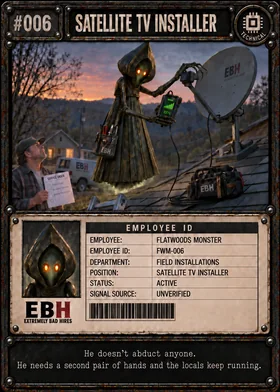
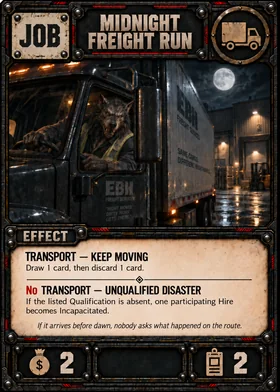
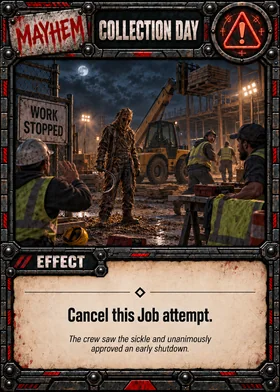
Inspect the four card families Real Series 1 cards
Hire
Job
Mayhem
Fix
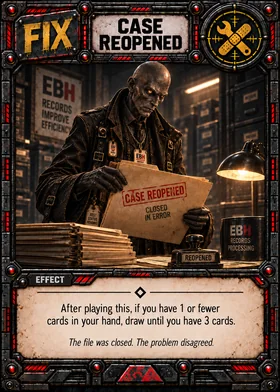
Canonical artwork is reproduced intact. The rules remain available as text throughout this reference.
Reference / 06
Hires, Staff, and Hire Status
Search / index ↑Hires are the employees who make up your staffing agency.
Once a Hire enters your staff, its current status determines what it can do. Your staff may contain Active, Inactive, and Incapacitated Hires, and all three count toward your staff limit.
Some employees are ready to work.
Some are waiting to work.
Some have become somebody else's paperwork.
Your Staff
Your staff consists of the Hire cards currently in your staffing agency.
Hires in your hand, Company Deck, or discard pile are not part of your staff.
A Hire returned to your hand or placed in your discard pile leaves your staff immediately. It no longer counts toward your staff limit unless it later enters your staff again.
Your staffing agency may normally contain no more than 6 Hires at one time.
Active, Inactive, and Incapacitated Hires all count toward that limit.
Playing a Hire
During your Preparation Window, you may normally play up to 2 Hire cards from your hand.
When you play a Hire:
- Place it into your staff.
- It enters Inactive.
- It immediately counts toward your 6-Hire staff limit.
- It cannot participate in a Job that turn.
- At the start of your next turn, it normally becomes Active.
Playing a Hire is optional. You may play two, one, or none during your Preparation Window.
A Hire entering your staff does not become ready to work just because management is short-staffed.
Apparently orientation takes an entire day.
Hire Status
A Hire normally has one of three statuses:
- Inactive
- Active
- Incapacitated
A Hire's status determines whether that Hire is currently eligible to participate in a Job.
Inactive
A newly played Hire enters your staff Inactive.
An Inactive Hire:
- Is part of your staff.
- Counts toward the 6-Hire staff limit.
- Cannot participate in Jobs.
At the start of your next turn, a Hire you played on your previous turn normally becomes Active.
Inactive does not mean the Hire is in your hand or waiting to be hired.
They have already been hired.
They just have not figured out where the break room is yet.
Active
An Active Hire is ready to work.
An Active Hire:
- Is part of your staff.
- Counts toward the 6-Hire staff limit.
- May participate in Jobs.
- Provides its Qualification when checking a Job if that Hire is part of the participating crew.
Once a Hire becomes Active, it normally remains Active unless it becomes Incapacitated or another card or game effect changes its status.
Participating in a Job does not normally exhaust, discard, or otherwise use up an Active Hire. After the Job, that Hire remains Active unless something happened to it during the attempt.
Apparently successfully finishing one assignment only proves you are available for the next one.
Incapacitated
An Incapacitated Hire is still part of your staff but cannot currently work.
An Incapacitated Hire:
- Cannot participate in Jobs.
- Cannot count toward Required Hires.
- Cannot provide its Qualification to a Job.
- Still counts toward your 6-Hire staff limit.
- Cannot be dismissed just to make room for another Hire.
The exact duration and recovery rules for Incapacitation are covered in the dedicated Incapacitation section later in this manual.
Being unable to work and being off the payroll are apparently two completely different departments.
Participating Is Not a Hire Status
A participating Hire is an Active Hire that has been assigned to the current Job attempt.
Participating is not a fourth Hire status.
The Hire is still Active unless an effect changes that status.
The term participating Hire simply identifies which Hires were sent to the current Job so that Job, Mayhem, and other effects can refer to them.
If a card tells you to choose a participating Hire, you must choose from the Hires assigned to that Job.
The rest of your staff may be emotionally involved.
They are not participating.
Your 6-Hire Staff Limit
Your staffing agency may normally have no more than 6 Hires at one time.
The limit counts:
- Active Hires
- Inactive Hires
- Incapacitated Hires
It does not matter whether a Hire can currently participate in a Job. If the Hire is still part of your staff, it occupies one of your six staff spaces.
You cannot play a new Hire if doing so would leave you with more than 6 Hires unless you first use the full-staff replacement rule or another effect specifically allows otherwise.
When Your Staff Is Full
If you already have 6 Hires and want to play a new Hire during your Preparation Window, you may dismiss 1 Active Hire to make room.
Resolve it in this order:
- Choose 1 Active Hire from your staff to dismiss.
- Place that Hire in your Company discard pile.
- Play the new Hire from your hand.
- The new Hire enters your staff Inactive.
The new Hire still counts toward your normal limit of up to 2 Hires played that turn.
You may not dismiss an Inactive or Incapacitated Hire just to make room.
You also cannot freely dismiss a Hire whenever you want. The normal dismissal rule exists specifically to make room for a new Hire when your staff is already full.
This is staffing replacement.
Not spring cleaning.
Replacing Multiple Hires
Each time you would play a Hire while your staff is already at the 6-Hire limit, you may dismiss 1 Active Hire to make room.
Because you may normally play up to 2 Hires during your Preparation Window, you may dismiss and replace up to 2 Active Hires in the same Preparation Window, provided:
- Each dismissal is immediately used to make room for a new Hire.
- You never exceed the 6-Hire staff limit.
- The Hire being dismissed is Active.
- The incoming Hire enters Inactive as normal.
You may not dismiss a Hire without immediately replacing it.
Examples:
- Start with 6 Hires: You may potentially replace 2, provided you have at least 2 Active Hires available to dismiss.
- Start with 5 Hires: You may play one Hire to reach 6, then potentially dismiss 1 Active Hire to make room for your second Hire.
- Start with 4 or fewer Hires: You do not need to dismiss anyone to play up to 2 Hires.
Replacing two Active Hires gives you two new employees, but both replacements enter Inactive. A fast roster overhaul can leave you with fewer Active Hires for the rest of that turn.
Dismissed Hires
A dismissed Hire is placed in its owner's Company discard pile.
Once dismissed:
- It is no longer part of the staff.
- It no longer counts toward the staff limit.
- Its previous Active status no longer matters while it is in the discard pile.
If that card later returns to a player's hand and is played again, it enters the staff Inactive like any other newly played Hire unless an effect specifically says otherwise.
Section 5 covers card movement between the staff, hand, deck, and discard pile.
Returned Hires
If an effect returns a Hire to its owner's hand, that Hire immediately leaves the staff.
It no longer:
- Counts toward the 6-Hire staff limit.
- Has a staff status that matters while it is in the hand.
- Participates in the current Job.
If that Hire is played again later, it enters the staff Inactive as normal.
Returning a Hire to a hand is not the same as Incapacitating or dismissing that Hire.
Different paperwork.
Same unhappy employee.
Status Changes Take Effect When They Happen
When an effect changes a Hire's status, use the new status from that point forward.
For example, if an Active Hire becomes Incapacitated during a Job, that Hire is Incapacitated from that point onward.
However, changing a participating Hire's status after the crew has already Clocked In does not cause the Job to recalculate its previously chosen Qualification or No Qualification path. That decision was already made at Clock In under Sections 2 and 3.
The employee may no longer be standing.
The paperwork still says they showed up.
Quick Hire Check
Inactive
- In your staff
- Counts toward the staff limit
- Cannot participate in Jobs
- Normally becomes Active at the start of your next turn
Active
- In your staff
- Counts toward the staff limit
- May participate in Jobs
- Normally remains Active after participating
Incapacitated
- In your staff
- Counts toward the staff limit
- Cannot participate
- Cannot provide a Qualification
- Cannot be dismissed just to make room
Participating Hire
- Not a separate status
- An Active Hire assigned to the current Job
- Remains part of your staff
Maximum Staff
- 6 Hires
Playing Hires
- Normally up to 2 per turn
- Played during the Preparation Window
- Enter Inactive
Reference / 07
Jobs, Qualifications, Required Hires, and Clocking In
Search / index ↑- Choose Active Hires
These become the participating Hires.
- Check the Qualification
Use the matching Qualification or No Qualification path.
- Apply Required Hires changes
The crew must meet the final amount.
- Clock In
The attempt begins. The chosen Qualification path is locked.
- Open Mayhem
Later crew changes do not automatically recalculate that path.
Visual summary. Adjust your crew before Clock In; you cannot add replacements afterward. Read the full rule ↓
Jobs are the assignments your staffing agency is trying to complete.
There is normally one Active Job face-up in the center of the table. On your turn, you may attempt that Job once or skip it.
Before a Job can begin, you need to decide who is going, determine which Job effect applies, and make sure you have enough employees to satisfy the final Required Hires amount.
Only then does the crew become Clocked In.
Apparently even supernatural labor requires attendance records.
The Active Job
The face-up Job in the center of the table is the Active Job.
Unless a card or rule specifically says otherwise:
- There is only one Active Job at a time.
- Every player attempts the same Active Job.
- Skipping a Job leaves it Active for the next player.
- Completing the Job sends it to the Job discard pile and causes a new Active Job to be revealed.
A canceled or failed attempt does not normally discard the Job.
The assignment is still there.
So is the client.
What a Job Shows
A Job normally includes:
- A Qualification
- A Qualification effect
- A No Qualification effect
- A Required Hires value
- A Profit value
Some effects may change how many Hires are required or create another benefit, penalty, protection, or consequence.
Read the Job before choosing your crew.
Management considers this an advanced technique.
Beginning a Job Attempt
To attempt the Active Job:
- Choose which of your Active Hires you want to send.
- Those Hires become the participating Hires.
- Check whether at least one participating Hire has the Job's listed Qualification.
- Determine whether the Qualification or No Qualification effect applies.
- Apply any change that effect makes to Required Hires.
- Make sure your participating crew meets the final Required Hires amount.
- Once all of those steps are complete, the crew becomes Clocked In.
Inactive and Incapacitated Hires cannot participate in Jobs.
Choosing Participating Hires
You may choose any number of your eligible Active Hires as long as the final crew satisfies the Job's requirements.
You may send more Hires than required unless the Job or another effect specifically says otherwise.
Every Hire you choose becomes a participating Hire for that attempt.
Hires you do not send remain part of your staff but are not participating in that Job.
If an effect later says to choose a participating Hire, the choice must come from the crew assigned to that Job.
Standing near the assignment does not count.
Qualifications
Every Hire has one Qualification.
A Job also shows a Qualification.
You do not need a matching Qualification in order to attempt or complete a Job.
Instead, the participating crew's Qualifications determine which of the Job's two effect paths applies.
Matching Qualification
If at least one participating Hire has the Qualification shown on the Job, use the Job's Qualification effect.
Only one matching Hire is normally required.
Having two or more participating Hires with the matching Qualification does not cause the Qualification effect to happen multiple times unless the card specifically says otherwise.
No Matching Qualification
If none of the participating Hires has the Job's listed Qualification, use the No Qualification effect.
Not having the Qualification does not automatically prevent you from taking the Job.
It may simply make the assignment considerably worse.
Extremely Bad Hires does not confuse “unqualified” with “unavailable.”
Exact Qualification Matching
A Hire matches a Job only if the Hire has the same Qualification shown on that Job.
For example:
- A Survival Hire matches a Survival Job.
- A Technical Hire matches a Technical Job.
- An Occult Hire does not count as Technical just because the equipment appears haunted.
Each Qualification is its own game category.
Theme, artwork, character background, role title, or common sense do not give a Hire additional Qualifications unless a card or rule specifically says they do.
The icon and game text determine the Qualification.
HR has rejected “but they probably know how” as documentation.
Required Hires
The Required Hires value tells you how many participating Hires are needed to attempt the Job.
However, the printed number is not always the final number.
A Qualification or No Qualification effect may change it.
Use this order:
- Start with the Job's printed Required Hires value.
- Determine which Qualification path applies.
- Apply any Required Hires change from that effect.
- The result is the final Required Hires amount for that attempt.
- Your participating crew must meet or exceed that amount before it can Clock In.
Adjusting a Crew Before Clock In
If the crew you initially choose does not meet the Job's final Required Hires amount, the crew has not Clocked In and the Job attempt has not yet begun.
You may choose a different legal crew and perform the Qualification and Required Hires check again, or you may choose to skip the Job.
Each new proposed crew is checked from the beginning because changing the participating Hires may also change whether the Qualification or No Qualification effect applies.
Once a legal crew meets the final requirement and becomes Clocked In, crew selection is finished.
More Hires Than Required
Required Hires is normally a minimum, not an exact number.
If the final Required Hires amount is 2, you may normally send 2, 3, 4, or more eligible Active Hires.
Extra Hires:
- Count as participating Hires.
- May be affected by effects that target participating Hires.
- Do not create additional copies of the Qualification effect merely because more than one of them matches.
Sending extra staff may give you redundancy.
It also gives Mayhem more employees to ruin.
Choose responsibly.
Or don't.
Clocked In
Clocked In is the point at which the participating crew and the Job path become fixed for the attempt.
A crew becomes Clocked In only after:
- The participating Hires have been chosen.
- The Qualification or No Qualification effect has been determined.
- Any Required Hires adjustment from that Job effect has been applied.
- The participating crew satisfies the final Required Hires amount.
Once the crew is Clocked In, the Mayhem Window begins.
This timing point is also established in Section 3.
Qualification Does Not Recalculate After Clock In
Once a crew is Clocked In, the Job's Qualification path has already been decided.
If Mayhem later:
- Incapacitates the matching-Qualification Hire,
- Returns that Hire to its owner's hand,
- Removes that Hire from participation,
the Job still uses the Qualification effect that was chosen at Clock In.
Likewise, if the crew Clocked In using the No Qualification effect, a later change does not automatically switch the Job to the Qualification effect.
The Job does not go backward and check again unless a card specifically instructs you to do so.
The paperwork was filed.
Accuracy remains optional.
Changes After Clock In
Clock In locks the Qualification path.
It does not make the participating Hires immune to later effects.
After Clock In, Mayhem or another legal effect may still:
- Return a participating Hire to a hand.
- Incapacitate a participating Hire.
- Protect a Hire.
- Change Required Hires.
- End the Job attempt.
- Cause another effect described by the card.
Resolve those changes normally.
What does not happen automatically is a new Qualification check.
The crew can change after Clock In. The Qualification decision does not automatically change with it.
Completing the Job
If the Job attempt reaches normal resolution, resolve the applicable Job effect and any other effects that still apply.
Then settle the Job's Profit gains and losses.
Once the Job has been completed:
- Participating Hires normally return to the staff and remain Active unless an effect changed them.
- Place the completed Job in the Job discard pile.
- Reveal the next Job as the new Active Job.
Participating in and completing a Job does not normally discard a Hire.
A Completed Job and a Canceled Attempt Are Different
A completed Job leaves the Active Job position and goes to the Job discard pile.
A canceled or ended attempt normally leaves the Job Active.
When an attempt ends without completion:
- The Active player does not gain the Job's printed completion Profit. Any other Profit changes already caused by resolved effects still apply.
- The Job remains available for the next player unless an effect says otherwise.
- The Active player has still used their one Job attempt for the turn.
Sections 3 and 4 cover the timing of an attempt ending early.
The agency failed.
The assignment survived.
Quick Job Check
When attempting a Job:
- Choose Active Hires.
- They become participating Hires.
- Check the listed Qualification.
- Choose the Qualification or No Qualification effect.
- Apply any Required Hires change.
- Meet the final Required Hires amount.
- Clock In.
- Open the Mayhem Window.
- Resolve the Job if the attempt continues.
- Complete it, settle Profit, discard it, and reveal the next Job.
Once Clocked In:
Do not recalculate the Qualification path unless a rule or card specifically tells you to.
Reference / 08
Mayhem Cards and the Mayhem Window
Search / index ↑- Opponent to the left
Play 1 legal Mayhem card or pass.
- Resolve completely
Finish this card before anyone else acts.
- Next opponent
Use the updated game state. A pass is final for this attempt.
- Staffing check
After all opponents act, check the remaining participating crew.
Visual summary. The Active player does not play Mayhem against their own attempt. Read the full rule ↓
- Meets current Required Hires
Proceed to Job resolution. Do not recalculate the locked Qualification path.
- Falls short
The attempt ends without completion. No printed Job completion Profit; already-resolved Profit changes still apply. The Active Job remains; continue to Recovery.
Visual summary. Incapacitated, returned, or removed Hires no longer count toward Required Hires. Do not add replacement Hires after Clock In. Read the full rule ↓
Mayhem cards are how you interfere with another player's Job attempt.
They may affect participating Hires, change staffing conditions, interfere with the Job, or end the attempt entirely.
Mayhem happens after a crew has Clocked In but before the Job resolves.
In other words, this is the part where everybody else gets involved.
Management regrets making the meeting open to comments.
When the Mayhem Window Opens
The Mayhem Window begins after the Active player's crew becomes Clocked In.
By that point:
- The participating Hires have been chosen.
- The Qualification or No Qualification path has been determined.
- Any Required Hires change caused by that Job path has been applied.
- The crew met the final Required Hires amount needed to Clock In.
Only then do opponents receive their Mayhem opportunities.
If the Active player skips the Job, there is no Mayhem Window.
No Job attempt. No sabotage.
Apparently everybody gets the afternoon off.
Who Can Play Mayhem
Under the normal rules, only the opponents of the Active player may play Mayhem during that player's Job attempt.
The Active player does not play Mayhem against their own crew unless a card specifically creates an exception.
Each opponent may play no more than 1 Mayhem card during that Job attempt.
Normally this means:
- 2-player game: 1 opponent - maximum 1 Mayhem card.
- 3-player game: 2 opponents - maximum 2 Mayhem cards total, one from each opponent.
- 4-player game: 3 opponents - maximum 3 Mayhem cards total, one from each opponent.
That is a maximum, not a guarantee. Each opponent may always pass.
Sometimes everyone behaves professionally.
Please document the occurrence.
Mayhem Order
Starting with the opponent immediately to the Active player's left, each opponent gets one Mayhem opportunity.
On that opportunity, the opponent must either:
- Play 1 legal Mayhem card, or
- Pass.
After that player's decision is completely resolved, continue around the table in normal turn order.
Each opponent gets only one opportunity during that attempt.
Mayhem Resolves One Card at a Time
When an opponent plays Mayhem:
- Play the Mayhem card from your hand.
- Make any choices or choose any targets required by the card.
- Resolve the card completely.
- Place it in your Company discard pile.
- Then the next opponent gets their Mayhem opportunity.
The next opponent acts using the game state that exists after the previous Mayhem has finished resolving.
No Mayhem cards resolve simultaneously unless an effect specifically says otherwise.
One disaster at a time.
HR has standards.
Passing Is Final
If you pass during your Mayhem opportunity, your opportunity is over for that Job attempt.
You cannot later decide to play Mayhem because:
- Another opponent played something useful.
- The crew changed.
- A Hire became vulnerable.
- You remembered the card in your hand.
Passing is final for that attempt.
Your hand was down.
The meeting moved on.
Playing a Mayhem Card Legally
You may play a Mayhem card only if you can satisfy any requirements needed to play it.
If the card requires a target, a legal target must exist. If the card requires a choice, that choice must be possible.
If you cannot legally perform a required part of playing the card, you cannot play it simply to reach another part of its effect.
This follows the legal-play and effect-resolution rules established in Sections 2 and 3.
Accounting continues to reject creative interpretations of the word "required."
Who Makes the Choice
Follow the wording on the Mayhem card.
If the card tells you to choose, the player who played the Mayhem makes that choice.
If the card tells the player attempting the Job to choose, the Active player makes that choice.
Any chosen target must still be legal.
If only one legal choice exists, that is the choice.
The illusion of employee input has been preserved.
Mayhem and Participating Hires
Many Mayhem effects target participating Hires.
A participating Hire is a Hire assigned to the current Job when the crew Clocked In.
Mayhem may normally target the Hire who provided the Job's matching Qualification unless that Hire is specifically protected from that Mayhem effect.
Being important does not make the employee untouchable.
Usually it makes them easier to identify.
Target Legality Can Change
Because Mayhem resolves one card at a time, an earlier opponent's Mayhem can change which targets remain legal for later opponents.
A Hire returned to its owner's hand is no longer part of the crew and is no longer a participating Hire.
An effect that specifically removes a Hire from participation also makes that Hire unavailable to later effects requiring a participating Hire.
Becoming Incapacitated does not, by itself, erase the participating-Hire designation for the current Job. However, that Hire no longer counts toward Required Hires and cannot provide a Qualification.
Whether an Incapacitated participating Hire is a legal target for another Mayhem depends on what that Mayhem actually requires. An effect that needs to Incapacitate a Hire cannot choose a Hire that cannot legally be Incapacitated again, while another effect may still be able to affect that Hire if its targeting requirements are satisfied.
Later opponents evaluate legal targets using the current game state.
Qualification Does Not Recalculate
Mayhem can change the crew. It does not automatically change the Qualification path already chosen when that crew Clocked In.
If a crew qualified for the Job's Qualification effect and Mayhem later returns, removes, or Incapacitates the matching Hire, the Job still uses the Qualification effect originally determined at Clock In.
Likewise, a crew that Clocked In using the No Qualification effect does not automatically switch paths because of something that happens later.
Clock In locks the Qualification path.
The employee may disappear.
The paperwork does not.
Protection Is Only as Broad as Its Wording
Not every kind of protection protects against every kind of effect. Read exactly what the protection says.
For example:
- "Cannot become Incapacitated by this Job" protects against Incapacitation caused by that Job. It does not automatically protect the Hire from an opponent's Mayhem.
- "Cannot be targeted by Mayhem" protects against Mayhem targeting within the scope stated by the effect.
- "The next Mayhem played against your participating crew is canceled" cancels the entire next Mayhem card.
Do not expand one kind of protection into another.
Specific wording controls.
Legal would like everyone to know they are very proud of this paragraph.
Canceling Mayhem
If an effect says the next Mayhem played against a crew is canceled, the entire Mayhem card is canceled.
A canceled Mayhem:
- Has no effect.
- Does not change or remove any Hire.
- Does not perform any later instruction printed on that card.
- Is placed in the Mayhem player's Company discard pile.
- Still counts as that opponent's one Mayhem card for the attempt.
If the protection canceled the next Mayhem, that protection has been used once it cancels the card.
The opponent does not get another try.
The card was played. It failed.
HR has closed the ticket.
Canceled Mayhem Does Not Undo the Protection That Canceled It
Suppose a Job effect protects the crew by canceling the next Mayhem.
An opponent cannot use that canceled Mayhem to remove the Hire, Qualification, or protection that caused it to be canceled.
The Mayhem never resolves. The protected game state remains unchanged except that the cancellation protection has now been spent and the canceled Mayhem has gone to its owner's discard pile.
Nice try.
Multiple Opponents Playing Mayhem
In games with more than two players, several different opponents may each play Mayhem during the same Job attempt.
Each opponent is still limited to 1 Mayhem card during that attempt.
Resolve each opponent's Mayhem completely before moving to the next opponent. Later Mayhem uses the game state created by earlier Mayhem.
Unless effects actually conflict, apply every Mayhem effect that can legally apply.
A Job attempt may become substantially worse before the last opponent has even taken their turn.
That is not a bug.
That is the multiplayer experience.
Mayhem Cannot Normally Be Interrupted by a Fix
A Fix cannot normally be played:
- In response to a Mayhem card.
- While a Mayhem card is resolving.
- Between instructions on a Mayhem card.
- During the Mayhem Window.
A card may specifically create an exception.
Otherwise, finish the Mayhem Window first.
If the Active player still has their Fix available afterward, they may use it during their normal Recovery Window.
Emergency response time remains consistent with company policy.
Unfortunately.
Post-Mayhem Staffing Check
After every opponent has either played their one Mayhem card or passed, and before the Job begins resolving, check whether the participating crew still meets the Job's current Required Hires amount.
Start with the final Required Hires amount established when the crew Clocked In, then apply any Mayhem effects that changed that amount or changed whether a participating Hire counts toward it.
A Hire that was returned, removed from participation, or Incapacitated does not count toward this staffing check.
If the remaining crew meets or exceeds the current Required Hires amount, continue to Job resolution.
If the remaining crew does not meet the current Required Hires amount, the Job attempt ends without completion. The Active player does not gain the Job's printed completion Profit. Any other Profit changes already caused by resolved effects still apply. The Active Job remains in place, and play continues to the Recovery Window.
Do not recalculate the Qualification or No Qualification path during this check. That decision remains locked from Clock In.
The Active player may not add replacement Hires after Clock In to satisfy this check.
Perform this staffing check once, after all opponents have had their Mayhem opportunity. A normal Mayhem effect that creates a staffing shortage does not end the Mayhem Window early unless that effect specifically says it ends the Job attempt.
If the crew passes this check and Job resolution begins, do not keep rechecking Required Hires merely because the Job itself later Incapacitates or otherwise affects a participating Hire.
Mayhem Can End the Job Attempt
Some Mayhem effects specifically end or cancel the current Job attempt.
If that happens:
- Finish resolving that Mayhem card completely.
- The Job attempt ends.
- The Active player does not gain the Job's printed completion Profit. Any other Profit changes already caused by resolved effects still apply.
- The Active Job normally remains face-up.
- No later opponent receives a Mayhem opportunity against that attempt.
- The Active player does not receive another Job attempt that turn.
- Play continues to the Active player's Recovery Window.
Ending the attempt does not discard the Job itself unless the effect specifically says otherwise.
The assignment remains open.
The staffing agency has simply been removed from consideration.
A Mayhem Card Does Only What It Says
Card name, artwork, flavor text, and theme do not create additional game effects.
If a card says to return one participating Hire to its owner's hand, do that.
Do not also Incapacitate the Hire because the illustration appears painful. Do not lose Profit because the incident looks expensive. Do not add consequences the card did not state.
Resolve the actual Mayhem effect and nothing extra.
Management accepts no liability for visual storytelling.
Quick Mayhem Check
- Begin with the opponent to the Active player's left.
- That opponent plays 1 Mayhem or passes.
- Resolve that Mayhem completely and discard it.
- Move to the next opponent.
- A pass is final.
- Each opponent gets only one Mayhem opportunity.
- Use the updated game state after every Mayhem.
- Do not recalculate the locked Qualification path.
- After all opponents have acted, perform the Post-Mayhem Staffing Check.
- If a Mayhem specifically ends the attempt, finish that card and end the Mayhem Window immediately.
- If the attempt continues and the crew passes the staffing check, proceed to Job resolution.
Reference / 09
Fix Cards and Fix Windows
Search / index ↑- Preparation
Use your one Fix before the Job. A Hire recovered here may participate later this turn.
- Recovery
Use your one Fix here only if you did not use it during Preparation.
Visual summary. Fixes cannot normally interrupt an effect or the Mayhem Window. Read the full rule ↓
Fix cards help you recover from problems, restore resources, and get your agency functioning again.
Unlike Mayhem, Fixes are normally played only during your own turn and only during one of two specific windows: your Preparation Window or your Recovery Window. You may normally play no more than 1 Fix during your entire turn.
One Fix.
Apparently the repair budget was approved by Accounting.
The One-Fix-Per-Turn Limit
You may normally play only 1 Fix card per turn.
If you play a Fix during your Preparation Window, you cannot play another during your Recovery Window.
If you save your Fix during Preparation, you may play one later during Recovery.
This limit applies to the turn, not separately to each window.
Returning a Fix to your hand, drawing another Fix, or otherwise gaining access to another Fix does not reset the limit.
Once you have played your Fix for the turn, you have used it.
HR has approved exactly one solution.
Please choose carefully.
Preparation Window
After your normal start-of-turn steps are complete, you enter the Preparation Window.
During this window, you may play your Fix before, after, or between the Hires you play that turn.
For example, you may use a Fix to recover a Hire before choosing your crew for the Active Job.
If a Fix causes an Incapacitated Hire to become Active during the Preparation Window, that Hire may participate in the Job later that same turn unless another effect prevents it.
Playing a Fix does not count toward your limit of up to 2 Hire cards played that turn.
Different paperwork.
Same desk.
Recovery Window
After your Job attempt is completely finished, you enter the Recovery Window.
If you did not already play a Fix during Preparation, you may play one now.
You still receive a Recovery Window if you skipped the Job or if your Job attempt ended without completing the Job.
A Hire recovered during the Recovery Window immediately becomes Active if the recovery effect says so, but your Job opportunity for that turn has already passed.
They are ready to work.
Just not today.
Playing a Fix
When you play a Fix, use this order:
- Play the Fix card from your hand.
- Make every required choice and choose any required legal target.
- Pay any required cost.
- Resolve the instructions on the Fix completely, in written order.
- Place the Fix in your Company discard pile.
You must be legally allowed to play the Fix before its effect begins. If the card requires a choice, legal target, or required cost that you cannot provide, you cannot play the card.
Once the Fix has legally begun resolving, use the normal effect-resolution rules from Sections 2 and 3.
Finish the repair before filing the invoice.
A Fix Leaves Your Hand When Played
A Fix leaves your hand when you play it.
While its effect is resolving, that Fix card is no longer part of your hand, even though it is not placed into your Company discard pile until resolution is complete.
This means a resolving Fix cannot count itself toward a hand-size check or be chosen or discarded as a card from your hand after it has already been played.
The card is being processed.
It cannot also be waiting in your inbox.
A Fix Does Not Stay in Play
Fix cards are one-time effects.
After a Fix finishes resolving, place it in your Company discard pile. It does not remain on the table as a continuing card unless an effect specifically says otherwise.
If the Fix creates a result that continues afterward, the result may remain even though the Fix card itself has been discarded.
The repair order is closed.
The consequences may not be.
Fixes Cannot Normally Interrupt
A Fix cannot normally interrupt a Job, Mayhem, the Mayhem Window, or another card or effect that is already resolving.
If something bad happens during Mayhem, you do not stop the Mayhem card halfway through and play a Fix.
If something bad happens while the Job is resolving, you do not pause the Job to repair it.
Finish the current effect and continue through the normal turn structure.
A card that specifically says it can be played at another time creates an exception under the Golden Rule.
Otherwise:
Preparation or Recovery. Not whenever panic begins.
Playing a Fix Does Not Open a Mayhem Window
Mayhem is normally played against a crew attempting a Job.
Playing a Fix does not create a Mayhem Window and does not give opponents an opportunity to respond with Mayhem.
Resolve the Fix on its own.
For once, another staffing agency is not invited to make the situation worse.
Required Choices and Legal Targets
If a Fix tells you to choose something, a legal choice must exist before you play it.
For example, a Fix that says to choose one of your Incapacitated Hires cannot normally be played when you have no Incapacitated Hires to choose.
Likewise, if a Fix specifically requires a cost, you must be able to pay that cost.
You cannot play a Fix merely because a later part of the effect would be useful if you cannot satisfy the requirements for legally playing it.
This follows the legal-play rule already established in Section 3.
Accounting calls this preventing selective reading.
Resolve the Entire Fix
Once a Fix has legally begun resolving, follow every instruction in order.
If one instruction later becomes impossible, do as much of the effect as you legally can under Sections 2 and 3.
A failed instruction does not automatically erase later independent instructions.
Likewise, an instruction does not become optional merely because you would rather skip it.
Do what the card says.
Even when management discovers halfway through that the solution has side effects.
Fixes and Hand Size
Some Fixes draw, replace, discard, or otherwise change cards in your hand.
Your maximum hand size of 7 is checked during the normal end-of-turn step, not immediately after a Fix.
If a Fix causes you to go above 7 cards during Preparation or Recovery, keep those cards until the normal hand-size check unless another effect tells you otherwise.
If a Fix requires you to discard cards as part of its own instructions, that discard is part of the Fix and happens when instructed.
Section 5 covers empty Company Decks and normal discard-pile rules.
Fixes and Incapacitation
Some Fixes interact directly with Incapacitated Hires.
A Fix may recover a Hire immediately, reduce timed Incapacitation, or satisfy a special recovery condition.
If a Fix reduces a timed Incapacitation counter to 0, the Hire becomes Active immediately.
The detailed differences between timed Incapacitation, until you play a Fix, and a Fix must be used to recover that Hire are covered in Section 10.
Those phrases are not interchangeable.
HR learned this after several employees technically recovered under the wrong policy.
Until You Play a Fix
Some Hires may remain Incapacitated until you play a Fix.
These Hires do not use a normal turn countdown.
When you legally play and finish resolving any Fix card, that condition is satisfied. The affected Hire or Hires then become Active unless the effect that caused the condition says otherwise.
The Fix does not have to target those Hires.
If several Hires are waiting on the same kind of until you play a Fix condition, they all recover when the condition is satisfied unless the original effect says otherwise.
The important timing is:
Resolve the Fix first. Then satisfy the until you play a Fix condition.
A Fix Must Be Used to Recover That Hire
This is a stronger restriction.
If an effect says an Incapacitated Hire cannot recover normally and a Fix must be used to recover that Hire, simply playing any Fix is not enough.
The Fix must be a legal recovery-type Fix and must actually be used on that Hire.
A recovery-type Fix is one that would normally recover an Incapacitated Hire or reduce Incapacitation by 1 turn or more.
Because an indefinitely Incapacitated Hire has no turn counter to reduce, a legal recovery-type Fix used on that Hire recovers the Hire completely.
This is intentionally different from until you play a Fix.
One condition wants evidence that you filed some paperwork.
The other wants the paperwork addressed to the correct employee.
Using a Fix Still Uses Your Fix
Once you legally play a Fix, it counts as your one Fix for that turn.
This remains true even if part of its effect later cannot happen and you resolve only the portions that legally can.
You do not get another Fix simply because the first one produced less value than expected.
Management has reviewed your refund request.
Management has declined.
Quick Fix Check
- You may normally play only 1 Fix during your turn.
- Play it during your Preparation Window or Recovery Window.
- Make every required choice and pay every required cost before the effect begins.
- A Fix leaves your hand when played and is not part of your hand while resolving.
- Resolve the Fix completely in written order.
- Do as much as you legally can if a later instruction becomes impossible.
- Do not normally interrupt Jobs, Mayhem, or other resolving effects with a Fix.
- Playing a Fix does not open a Mayhem Window.
- After resolution, discard the Fix.
- If a special Incapacitation condition refers to a Fix, follow the exact recovery wording that created that condition.
Reference / 10
Incapacitation and Recovery
Search / index ↑- No duration / for X turns
Default: 1 turn. Miss the specified number of future owner turns; reduce by 1 at each end. The turn of Incapacitation does not count.
- Until the end of your next turn
Remain Incapacitated through that turn. For an effect that reduces Incapacitation by turns, treat this as 1 remaining turn.
- Until you play a Fix
No counter. Finish resolving any legal Fix, then recover unless the original effect says otherwise. A legal recovery effect can normally recover the Hire earlier.
- A Fix must recover that Hire
No counter. Use a legal recovery-type Fix on that specific Hire; simply playing any Fix is not enough.
- Early recovery
A legal recovery effect makes the Hire Active immediately unless the original condition prevents that recovery.
- Non-stacking
Normal Incapacitation does not add another condition to an already Incapacitated Hire. An explicit effect can change the existing condition.
Visual summary. These conditions are different; do not replace one with another. Full exceptions and examples follow. Read the full rule ↓
Sooner or later, somebody gets taken out of commission.
An Incapacitated Hire is still part of your staffing agency, but cannot normally work until the Incapacitation ends.
The Hire remains in your staff, still occupies one of your 6 staff spaces, and must be tracked clearly until recovery.
Workers' Comp has entered the chat.
What Incapacitated Means
While a Hire is Incapacitated, that Hire:
- Cannot participate in a new Job.
- Cannot count toward Required Hires.
- Cannot provide its Qualification to a Job.
- Still counts toward your 6-Hire staff limit.
- Cannot be dismissed just to make room for another Hire.
Keep the Hire in your staff area and clearly mark its Incapacitated status and any recovery condition that applies.
Incapacitated is a status, not a separate card area.
The employee is still on staff.
This has somehow not reduced payroll.
Incapacitation After Clock In
A Hire may become Incapacitated after already becoming a participating Hire in a Job.
When that happens, the Hire becomes Incapacitated immediately.
However, Incapacitation does not by itself erase that Hire's participating-Hire designation for the current attempt.
The Hire:
- Is still considered one of the Hires originally assigned to that Job.
- No longer counts toward Required Hires.
- Cannot provide a Qualification to a new check.
- Does not cause the Job's already chosen Qualification or No Qualification path to be recalculated.
If the Incapacitation happens during the Mayhem Window, apply the Post-Mayhem Staffing Check from Section 8.
If the crew no longer meets Required Hires at that check, the attempt ends without completion.
If the crew passes that check and Job resolution begins, do not keep rechecking Required Hires merely because the Job itself later Incapacitates someone.
The shift started with enough employees.
What happened afterward is an incident report.
Default Incapacitation
If an effect simply says a Hire becomes Incapacitated and gives no duration or special recovery condition, the Hire is Incapacitated for 1 turn.
A card that gives a different duration or recovery condition overrides that default.
Examples include:
- Incapacitated for 2 turns.
- Incapacitated until the end of your next turn.
- Incapacitated until you play a Fix.
- Incapacitated indefinitely until a Fix is used to recover that Hire.
Do not add the default 1-turn duration on top of a duration already printed on the effect.
The card already told you how bad the injury is.
Medical does not need help exaggerating it.
Counting Timed Incapacitation
When a Hire is Incapacitated for a specific number of turns, the turn in which the Incapacitation happens does not count.
The Hire must miss that many of its owner's future turns.
At the end of each of those turns, reduce the remaining Incapacitation by 1.
When the remaining amount reaches 0, the Hire becomes Active immediately.
Example - 1 Turn
Read this example
A Hire becomes Incapacitated for 1 turn during your current turn.
The current turn does not count.
On your next turn:
- The Hire remains Incapacitated.
- It cannot participate in your Job.
- At the end of that turn, reduce the counter from 1 to 0.
- The Hire becomes Active.
It is ready to work normally on your following turn.
Example - 2 Turns
Read this example
A Hire becomes Incapacitated for 2 turns.
On your next turn, it misses the turn and goes from 2 to 1 at the end.
On your following turn, it misses that turn as well and goes from 1 to 0 at the end.
It then becomes Active.
Two turns means two actual missed future turns.
HR has checked the math twice.
Future-Proof Timing Note
If an effect ever causes one of your Hires to become Incapacitated during another player's turn, your next turn is the first turn they miss. Timed Incapacitation counts down only at the end of that Hire owner's turns.
Current Series 1 play does not normally create this situation, but the timing rule still applies if a future effect does.
Incapacitation During Your Own Turn
If your Hire becomes Incapacitated during your own turn, that current turn still does not count toward a timed Incapacitation duration.
For example, if a participating Hire becomes Incapacitated for 1 turn during your Job attempt:
- It becomes Incapacitated immediately.
- The remainder of the current turn does not count as its missed turn.
- Your next turn is the 1 turn it must miss.
- It recovers when that next turn ends.
Yes, this means they can be out for the remainder of today and tomorrow.
Benefits has stopped returning calls.
Incapacitation Does Not Stack
An Incapacitated Hire cannot become Incapacitated again unless an effect specifically says it extends, replaces, resets, or changes that Hire's existing Incapacitation.
A normal effect that simply says a Hire becomes Incapacitated does not add another duration or recovery condition to a Hire who is already Incapacitated.
If an effect requires you to choose a Hire to become Incapacitated, an already Incapacitated Hire is not a legal choice unless the card specifically allows it.
Future effects may intentionally worsen an existing Incapacitation only by saying so explicitly.
One employee does not need three separate injury clocks.
Recovering Early
Some Jobs and Fixes can recover Incapacitated Hires early or reduce their remaining Incapacitation.
If an effect says to recover an Incapacitated Hire, that Hire becomes Active immediately unless the original Incapacitation specifically prevents that kind of recovery.
If an effect reduces timed Incapacitation to 0, the Hire also becomes Active immediately.
Recovery does not wait until the end of the turn unless the relevant effect says it does.
Special Durations Can Normally Be Ended Early
A timed or conditional Incapacitation does not automatically prevent early recovery.
Unless the effect that caused the Incapacitation specifically says the Hire cannot recover another way, a legal effect that says to recover an Incapacitated Hire may recover that Hire immediately.
This includes a Hire who is:
- Incapacitated for a number of turns.
- Incapacitated until the end of its owner's next turn.
- Incapacitated until its owner plays a Fix.
If the Hire recovers early, remove that Incapacitation condition completely.
The clear exception is an effect that specifically requires a Fix to be used to recover that Hire or otherwise says normal recovery cannot occur.
Reducing a Special Duration
If a Hire is Incapacitated until the end of your next turn, treat that condition as 1 remaining turn when an effect specifically reduces Incapacitation by a number of turns.
Reducing it by 1 causes the Hire to recover immediately.
Effects such as until you play a Fix or a Fix must be used to recover that Hire do not have a numbered duration and follow their own recovery rules.
This keeps a one-turn absence working like a one-turn absence, even when the card phrases the return time differently.
Recovery During the Preparation Window
If a Hire recovers during your Preparation Window, that Hire becomes Active immediately and may participate in the Job you attempt later that turn.
This is one of the main advantages of using a recovery Fix during Preparation instead of waiting until Recovery.
Medical has cleared the employee.
Staffing has already put them back on the schedule.
Recovery During Job Resolution
If an Incapacitated Hire becomes Active while a Job is already being resolved, that recovery does not add a new Hire to the Job already in progress.
If the recovered Hire was not part of the crew when it Clocked In, it stays outside that Job.
The crew is not reopened after Clock In.
No late arrivals.
Even if they have a doctor's note.
Until the End of Your Next Turn
Some effects say a Hire is Incapacitated until the end of your next turn.
The Hire remains Incapacitated throughout that entire next turn and normally becomes Active when that turn ends.
This condition does not use a normal countdown, although an effect that reduces Incapacitation by turns treats it as 1 remaining turn under the rule above.
A legal recovery effect may still end the condition early unless the original effect specifically prevents early recovery.
The employee has a return date.
Management may move it forward only when an actual recovery effect says so.
Until You Play a Fix
Some Incapacitation effects use the condition: until you play a Fix.
These Hires do not use a normal turn counter and do not recover simply because turns pass.
When you legally play and finish resolving any Fix card, the condition is satisfied.
After that Fix finishes resolving, every Hire waiting on that applicable until you play a Fix condition becomes Active unless the original effect says otherwise.
The Fix:
- Does not have to target those Hires.
- Does not have to be a recovery-type Fix.
- Must have been legally played and completely resolved.
A separate legal recovery effect may also recover one of those Hires early unless the original effect specifically prevents it.
The company does not care what you fixed.
It just wanted proof that somebody finally fixed something.
Several Hires Waiting for a Fix
If several Hires are Incapacitated under an applicable until you play a Fix condition, one legally completed Fix satisfies that condition for all of them unless the original card says otherwise.
You do not need one Fix per Hire.
This is different from an effect requiring a Fix to be used on a specific Hire.
That distinction matters.
A lot.
A Fix Must Be Used to Recover That Hire
Some stronger effects cause a Hire to become Incapacitated indefinitely and state that a Fix must be used to recover that Hire.
That Hire:
- Has no turn counter.
- Does not recover naturally.
- Cannot be recovered by an ordinary Job effect that merely says to recover an Incapacitated Hire.
- Remains Incapacitated until a legal recovery-type Fix is actually used on that Hire.
A recovery-type Fix is a Fix that would normally recover an Incapacitated Hire or reduce Incapacitation by 1 or more turns.
Because the indefinite Hire has no number to reduce, legally using that recovery-type Fix on the Hire recovers it completely.
This is not the same as simply playing any Fix.
The employee's file requires direct intervention.
HR has escalated the case.
Timed Reduction Against Indefinite Incapacitation
An indefinite Incapacitation has no numeric duration.
Do not treat it as though it secretly has 1 turn remaining.
Instead, if a legal recovery-type Fix that normally reduces Incapacitation is used on that specific Hire, the Hire recovers completely under the special rule above.
Do not invent a counter.
Nobody knows what number indefinitely is.
Accounting has attempted.
Leaving the Staff While Incapacitated
Incapacitation matters only while the Hire remains part of the staff.
If another legal effect returns an Incapacitated Hire to its owner's hand or otherwise removes that Hire from the staff, the Hire is no longer tracked as Incapacitated while outside the staff.
If that Hire is later played again from the hand, it enters the staff Inactive as normal.
It does not return carrying its old Incapacitation counter or recovery condition.
The employee was rehired.
Their previous incident file has been placed somewhere Records insists is secure.
Keep Incapacitation Clearly Marked
Players must be able to tell what kind of Incapacitation each Hire has.
For timed Incapacitation, record the remaining number of turns.
For until you play a Fix, mark the Hire clearly as waiting for a Fix.
For an indefinite Incapacitation requiring a recovery-type Fix used on that Hire, use a clearly different marker so nobody mistakes it for the simpler Fix condition.
Official Player Trackers, counters, dice, paper, or another clear method are all acceptable.
The tracking method does not matter.
Being able to understand it does.
Quick Incapacitation Check
No duration listed: 1-turn Incapacitation.
For X turns: Miss that many future turns. Reduce by 1 at the end of each.
Until the end of your next turn: Stay Incapacitated through that next turn unless recovered early. Treat it as 1 remaining turn for effects that reduce Incapacitation by turns.
Until you play a Fix: No counter. Finish resolving any legal Fix, then recover, unless recovered earlier by another legal recovery effect.
A Fix must be used to recover that Hire: No counter. A legal recovery-type Fix must actually be used on that Hire.
Already Incapacitated: A normal Incapacitation effect does not stack another condition on top.
Recovery to 0: Become Active immediately.
Recovered during Preparation: May work later that turn.
Recovered after a Job has already started: Does not join that Job.
Reference / 11
Profit and Winning the Game
Search / index ↑- Resolve the effect
Finish every applicable instruction.
- Settle Profit together
Apply all gains and losses in that settlement.
- Apply the floor
If the final total is below 0, it becomes 0.
- Check for a winner
At or above the chosen goal? That player wins immediately.
Visual summary. A failed or canceled Job earns no printed completion Profit. Already-resolved Profit changes still apply. For a completed Job, discard it and reveal the next Active Job only if nobody has won. Read the full rule ↓
Profit is how you win Extremely Bad Hires.
Every player begins the game at 0 Profit. During setup, everyone uses the same winning total:
- Quick Game - 10 Profit
- Standard Game - 20 Profit
You do not need to land on the winning number exactly. Reaching or exceeding it is enough.
Accounting has decided that too much Profit is acceptable.
Earning Profit From Jobs
Each Job shows a printed Profit value.
When you successfully complete a Job, its printed Profit is included when that Job's Profit is settled.
A Job effect may also increase or decrease the amount of Profit you receive.
Resolve the Job's effects first, then settle all Profit gains and losses from that Job together.
Example
You have 18 Profit.
You complete a Job worth 4 Profit, but the Job also causes you to lose 1 Profit.
Settle everything together:
18 + 4 - 1 = 21 Profit
In a Standard Game, you have reached the 20-Profit goal.
The client paid.
Something went wrong.
Finance has chosen to focus on the first part.
A Job Must Be Completed to Earn Its Printed Profit
If a Job attempt ends without the Job being completed, you do not gain that Job's printed completion Profit.
The Job normally remains Active, and play continues according to the rules for the effect that ended the attempt.
Other Profit changes specifically caused by cards or effects still follow their own instructions.
Failing the assignment does not qualify for the completion bonus.
Management checked.
Profit From Other Effects
Printed Job Profit is not the only way your Profit total can change.
A Job, Mayhem card, Fix card, or another legal game effect may tell a player to gain or lose Profit.
Follow that effect normally.
A player can win from any legal effect that leaves their Profit at or above the winning total. The winning Profit does not have to come directly from the number printed on a Job.
Money is money.
Accounting asks that nobody investigate further.
Apply Profit Changes Together
When the same Job or effect contains more than one Profit change, apply those gains and losses together before updating your total.
Do not stop halfway through the calculation to check whether you won or reached 0.
Determine the final result of that Profit settlement first.
Example
You have 1 Profit.
An effect gives you +2 Profit and -4 Profit as part of the same settlement.
Calculate the complete result:
1 + 2 - 4 = -1
Profit cannot go below 0, so your final total becomes 0 Profit.
Do not reduce to 0 halfway through and then add the gain separately. The entire Profit change is settled together.
Profit Cannot Go Below 0
Your Profit total can never be less than 0.
If a completed Profit calculation would place you below 0, remain at 0 instead.
There is no debt track.
Legal requested one.
Legal was ignored.
There Is No Maximum Profit
The winning total is a goal, not a cap.
If you are playing a Standard Game and an effect leaves you with 20, 21, 24, or more Profit, you have still reached the winning total.
Do not reduce your Profit to exactly 20.
Accounting has finally found a rule it likes.
Do Not Check for a Winner During an Effect
Reaching the winning number does not immediately stop an effect that is still resolving.
Finish the current card, Job, or other effect completely. Then check the player's final Profit total.
Example
You are at 19 Profit.
During one effect:
- You gain 2 Profit.
- You then lose 2 Profit.
You temporarily reached 21, but the effect was not finished.
After the complete effect:
19 + 2 - 2 = 19
You have not won.
Management was already preparing the press release.
It has been recalled.
When the Win Check Happens
After the current effect has completely resolved and all of its Profit changes have been settled, check the affected player's Profit.
If that player is at or above the chosen winning total, that player wins immediately.
For a completed Job, the normal sequence is:
- Resolve the applicable Qualification or No Qualification effect.
- Resolve any other effects that still apply to the Job attempt.
- Settle the Job's Profit gains and losses.
- After the current effect is fully resolved, check for a winner.
- If nobody has won, place the completed Job in the Job discard pile and reveal the next Active Job.
The Game Ends Immediately
Once a player fully resolves an effect that leaves them at or above the winning Profit total, the game ends.
You do not:
- Finish the current round.
- Give every other player one last turn.
- Continue until play returns to the first player.
The first agency to legally reach the goal after a completed resolution wins.
Your staffing agency has somehow become the most profitable operation at the table.
Management has already taken credit.
Quick Profit Check
Starting Profit: 0
Quick Game: 10 Profit
Standard Game: 20 Profit
Completing a Job: Gain the printed Job Profit and apply any Profit changes from that Job.
Canceled or failed attempt: No printed completion Profit.
Profit gains and losses: Settle all changes from the same Job or effect together.
Minimum Profit: 0
Exact winning number required?: No. Equal to or greater than the goal wins.
Check for a winner during an effect?: No. Finish the effect first.
Can another legal effect win the game?: Yes.
Finish the round after somebody wins?: No.
Reference / 12
Common Card Terms, Choices, and Instructions
Search / index ↑Cards in Extremely Bad Hires use a small set of repeated instructions.
When one of these terms appears, use the meaning in this section unless the card specifically says otherwise.
You do not need to memorize this list.
That is why this book exists.
Choose
When an effect tells a player to choose something, that player selects a legal option that matches the instruction.
Examples:
- Choose one participating Hire.
- Choose one Incapacitated Hire.
- Choose one opponent.
- Choose one card from your hand.
A choice must be legal when it is made.
If an effect says a specific player chooses, that player makes the choice.
If a card refers to a participating Hire, the choice must come from the Hires assigned to that Job.
HR supports employee choice.
Within approved parameters.
Who Chooses for a Job Effect?
If a Job effect causes one or more participating Hires to become Incapacitated and the Job does not say who chooses them, the Active player - the player currently attempting that Job - makes the choice.
If the Job specifically says an opponent or another player chooses, follow the card instead.
For example, if a Job says two participating Hires become Incapacitated and gives no other chooser, the Active player chooses those two Hires.
Legal Target
A legal target is something the effect is currently allowed to affect.
A target may stop being legal because:
- It left the game area the effect refers to.
- Its status changed.
- It became protected from that effect.
- Another rule says it cannot be affected that way.
Always use the game state that exists when the choice is made.
Sections 3 and 8 cover timing and changing target legality in more detail.
Draw
When an effect says draw, take the required number of cards from the top of your Company Deck and put them into your hand.
If your Company Deck becomes empty while drawing, use the deck-recycling rule from Section 5.
Drawing above 7 cards is allowed. The normal hand-size limit is checked at the end of your turn unless an effect says otherwise.
Discard
When an effect says discard, move the specified card or cards to the appropriate discard pile.
If the effect says to discard a card from your hand, you choose the card unless the effect gives another method.
If the effect specifies a card type, such as a Fix, the discarded card must match that requirement.
You cannot freely discard cards unless a card or rule allows it.
Apparently throwing paperwork away requires authorization.
Random Discard
When an effect tells you to discard a random card from your hand, no player knowingly chooses which card will be discarded.
Use any fair method your group can clearly verify. For example:
- Shuffle your hand face-down and have another player select one card.
- Assign each card a number and determine one randomly.
- Use another agreed method that does not let anyone intentionally choose the result.
Do not reveal the rest of the hand unless an effect tells you to.
The method may vary. The result must actually be random.
Return to Hand
When an effect says to return a card to a player's hand, move that card from its current game area into that player's hand.
Returning is not discarding.
A Hire returned from the staff:
- Leaves the staff immediately.
- Stops counting toward the staff limit.
- Stops participating in the current Job.
- Enters Inactive if played again later.
Sections 5 and 6 cover the full returned-Hire rules.
The employee has not been fired.
They have merely been placed back in the hiring process.
Recover
When an effect tells you to recover an Incapacitated Hire, that Hire becomes Active immediately unless the Incapacitation specifically prevents that kind of recovery.
Recovery removes the Incapacitated status and its associated normal recovery condition.
Special Incapacitation requiring a recovery-type Fix follows Section 10 instead.
Protect
A protection effect prevents only what it specifically says it prevents.
For example, protection from Job Incapacitation does not automatically protect from Mayhem.
A Hire protected from one effect may still be affected by something outside that protection.
Specific wording controls.
Section 8 covers protection and Mayhem in more detail.
Cannot
If an effect says something cannot happen, that restriction wins over an ordinary effect that merely says it can or may happen.
This is the Cannot Beats Can rule from Section 2.
A restriction remains in place unless another rule or effect specifically overrides it.
Management has finally discovered a word stronger than "please."
Cancel
When an effect cancels another card or effect, the canceled card or effect does not resolve.
For example, a canceled Mayhem card:
- Has no effect.
- Makes none of its changes.
- Is discarded.
- Still uses that opponent's Mayhem opportunity.
Section 8 contains the complete Mayhem cancellation rules.
Canceling something is not the same as undoing something that already resolved.
Timing matters.
Then
When card text uses then, resolve the instruction before "then" first.
After that instruction is resolved as much as legally possible, continue to the next instruction if it can still happen.
Example:
Draw 1 card. Then discard 1 card.
Draw first. The newly drawn card is now in your hand and may be the card you later discard.
Section 3 covers full effect-resolution order.
Even chaos respects punctuation.
After
When an effect says something happens after another event, finish the named event first. Then resolve the "after" effect at that timing point.
If the named event never happens, the "after" instruction does not happen.
Do not move an "after" effect earlier just because resolving it sooner would be more useful.
If
When an instruction begins with if, the stated condition must be true for that instruction to happen.
If the condition is false, skip that conditional instruction.
Do not invent a replacement effect.
Management cannot negotiate with grammar.
Any
When a card says any legal card, Hire, opponent, or other object, you may choose from all options that satisfy the rest of the instruction.
"Any" does not override restrictions.
For example, "any Hire" does not make an otherwise prohibited target legal if another effect specifically says that Hire cannot be targeted.
One Means One
If an effect says choose 1, choose exactly one legal option if one exists.
If it says draw 1, draw exactly one if possible.
Do not increase the number because more options are available.
The card has already completed the staffing calculation.
Up To
When a rule or card says you may perform something up to a number of times, you may perform it fewer times.
For example, the normal rule allowing you to play up to 2 Hires during your Preparation Window means you may play:
- 0 Hires.
- 1 Hire.
- 2 Hires.
Card text using up to follows the same ordinary meaning unless the card specifically requires a minimum.
Printed Information vs. Current Information
Sometimes a rule refers to the value physically printed on a card. Other times an effect may change what currently applies.
When a rule says printed Profit or printed Required Hires, use the value physically printed on the Job.
When it says current or final Required Hires, include applicable changes already made by effects.
This distinction is especially important during Job attempts and the Post-Mayhem Staffing Check.
Quick Language Check
Choose - Select a legal option.
Draw - Take cards from your Company Deck into your hand.
Discard - Move cards to a discard pile.
Random - No player intentionally chooses the result.
Return - Move the card back to the stated hand or area.
Recover - Remove Incapacitation and become Active unless a restriction prevents it.
Protect - Prevent only the effect specifically described.
Cannot - A restriction normally defeats ordinary permission.
Cancel - The canceled card or effect does not resolve.
Then - Finish the first instruction before the next.
After - The named event must happen first.
If - The instruction happens only if its condition is true.
Up to - Any amount from 0 through the stated maximum, unless a minimum is specified.
Reference / 13
Multiplayer and Player Order
Search / index ↑Extremely Bad Hires supports 2–4 players.
Most rules work the same regardless of player count. Multiplayer mainly affects turn order, Mayhem order, choices made by opponents, and effects that happen at the same time.
You do not need a separate multiplayer ruleset.
You just need to know whose problem it is next.
The Active Player
The Active player is the player whose turn is currently happening.
There is only one Active player at a time.
Being the Active player is different from having an Active Hire. One describes whose turn it is; the other describes whether a Hire is ready to work.
During another player’s turn, your cards and effects may still matter, but that does not make you the Active player.
HR acknowledges that “Active” is doing a lot of work.
HR will not be changing it.
Opponents
Every other player is your opponent.
- 2-player game: you have 1 opponent.
- 3-player game: you have 2 opponents.
- 4-player game: you have 3 opponents.
If a rule refers to an opponent, it means any player other than the Active player unless the effect tells you which opponent is involved.
If a card specifically identifies a particular player, follow that card.
Normal Player Order
At setup, choose the first player using any fair method. Play then continues around the table in the established turn order.
When a rule tells you to continue around the table, keep using that same order.
Do not reverse direction unless a card or future rule specifically tells you to.
Management has enough trouble without rotational disputes.
The Opponent to the Active Player’s Left
When a rule refers to the opponent immediately to the Active player’s left, use the next opponent in the normal player order beginning from the Active player.
That player acts first for effects that use left-to-right player order.
The clearest example is the Mayhem Window.
Mayhem in Multiplayer Games
After the Active player’s crew becomes Clocked In, opponents receive their Mayhem opportunities one at a time.
Begin with the opponent immediately to the Active player’s left and continue around the table in normal player order.
Each opponent may:
- Play 1 Mayhem card, or
- Pass.
Each opponent gets only one opportunity during that Job attempt.
Maximum Mayhem by Player Count
- 2 players: 1 opponent → maximum 1 Mayhem.
- 3 players: 2 opponents → maximum 2 Mayhem total, one from each opponent.
- 4 players: 3 opponents → maximum 3 Mayhem total, one from each opponent.
No individual opponent may play more than 1 Mayhem during that attempt.
Section 8 contains the complete Mayhem rules.
One Opponent Acts at a Time
One opponent makes their Mayhem decision and completely resolves any Mayhem they play before the next opponent acts.
The next opponent uses the current game state created by everything that has already happened.
This means an earlier opponent may:
- Remove a possible target.
- Incapacitate a participating Hire.
- Change Required Hires.
- Use up a protection.
- Otherwise change what later opponents are legally able to do.
Later players do not make their decisions using the game state that existed when the Mayhem Window first opened.
The disaster develops in real time.
Passing Is Final
If an opponent passes during their Mayhem opportunity, that player is finished for that Job attempt.
They cannot return later because another opponent’s Mayhem made the situation more attractive.
This remains true even if the crew or Job changes after that player passes.
You had your chance.
The committee has moved on.
If Mayhem Ends the Attempt
If a Mayhem card specifically ends or cancels the current Job attempt, finish resolving that Mayhem. Then the Mayhem Window ends immediately.
Opponents who had not yet received their Mayhem opportunity do not get one against that ended attempt.
Only effects that actually end the attempt cause this. An ordinary Mayhem that merely makes the staffing situation worse does not automatically skip later opponents.
Section 8’s Post-Mayhem Staffing Check happens only after every remaining opponent has either played their one Mayhem or passed.
When an Opponent Must Choose
Some effects tell an opponent to make a choice.
Two-Player Game
There is only one opponent, so that player makes the choice.
Three- or Four-Player Game
If an effect says “an opponent chooses” but does not say which opponent, the opponent immediately to the Active player’s left makes the choice.
If the card specifically assigns the choice to another player, follow the card instead.
This rule prevents players from choosing whichever opponent is most favorable to them.
HR calls this eliminating bias.
Everyone else calls it knowing who gets to ruin your day.
Example — Opponent Chooses a Hire
Suppose a Job effect says: “An opponent chooses which participating Hire becomes Incapacitated.”
The Active player does not choose.
In a 2-player game, the other player chooses. In a 3- or 4-player game, the opponent immediately to the Active player’s left chooses.
If a card specifically names another opponent or gives another method for determining the chooser, follow that card instead.
When the Job Causes the Choice
If a Job effect causes one or more participating Hires to become Incapacitated but does not say that an opponent chooses them, the Active player makes the choice.
The Active player is the player currently attempting that Job.
For example, if a Job says “Two participating Hires become Incapacitated for 2 turns” and does not assign the choice to anyone else, the Active player chooses the two legal participating Hires.
This includes the corrected Command Center Desync wording.
If the Job says an opponent chooses instead, use the opponent-choice rule above.
Specific card text always controls.
Effects Belonging to Several Players
Sometimes effects belonging to more than one player happen at the same timing point.
Use the simultaneous-effect order from Section 3:
- The Active player resolves all of their effects at that timing point first, in an order they choose.
- Continue around the table in normal turn order.
- Each other player resolves all of their effects when their place in the sequence is reached.
- Each player chooses the order of their own simultaneous effects.
- Resolve each effect completely before beginning the next one.
Do not bounce back and forth between players’ effects. Finish one player’s effects at that timing point before moving to the next player.
The Active Player Does Not Change During an Effect
The Active player remains the player whose turn is currently happening until that turn ends.
An opponent making a choice, playing Mayhem, resolving one of their own effects, or otherwise becoming involved does not make that opponent the Active player.
The title follows the turn.
Not whoever is currently causing the most trouble.
Card Ownership Does Not Change
A card does not change owners merely because another player affects, chooses, returns, discards, or interacts with it.
Unless a card specifically says otherwise:
- Your Company cards remain your cards.
- A returned Hire goes to its owner’s hand.
- A discarded Company card goes to its owner’s Company discard pile.
- Another player choosing what happens to one of your cards does not give them ownership of that card.
Sections 5 and 6 cover card movement in more detail.
Interfering with an employee does not transfer payroll responsibility.
Quick Multiplayer Check
Active player — The player whose turn is happening.
Opponent — Any other player.
Mayhem order — Start with the opponent to the Active player’s left and continue in normal player order.
Mayhem limit — 1 per opponent per Job attempt.
Passed? — That opponent’s Mayhem opportunity is finished for that attempt.
Mayhem ended the Job attempt? — Stop the Mayhem Window after that card resolves.
“An opponent chooses” with several opponents? — The opponent immediately to the Active player’s left chooses.
Job causes Incapacitation without naming a chooser? — The Active player chooses the affected participating Hire or Hires.
Several players have effects at the same time? — Active player first, then continue around the table in normal player order.
Reference / 14
Unusual Situations and Edge Cases
Search / index ↑Most games of Extremely Bad Hires will never need this section.
Use it when the normal rules produce an unusual situation and you need a quick answer.
Do not memorize it.
Management certainly didn’t.
If Part of an Effect Is Impossible
Once a card or effect has legally begun resolving, do as much of it as you legally can.
If one instruction cannot happen, skip only that instruction and continue with later instructions that can still happen unless the later instruction clearly depends on the failed one.
This follows the effect-resolution rules from Sections 2 and 3.
Example
Read this example
Playing a Card Is Different
The rule above does not let you illegally play a card.
If playing a Fix or Mayhem requires any of the following, you must satisfy that requirement before playing the card:
- A legal target
- A required choice
- A required cost
If you cannot satisfy the requirement, you cannot play the card.
Once a card has legally begun resolving, then the do-as-much-as-you-can rule applies.
If You Must Discard More Cards Than You Have
If an effect is already resolving and tells you to discard more cards than are available in your hand, discard as many as you can.
Example: You have 1 card in your hand and an effect says, “Discard 2 random cards.” Discard your 1 remaining card. The second discard cannot happen. Continue resolving the effect.
If your hand is empty, no cards are discarded.
Do not create a replacement penalty unless the card says to.
If a Random Discard Exceeds Your Hand
If the number of random cards to discard is equal to or greater than the number of cards in your hand, discard all available cards.
There is no need to perform a random selection when every remaining card must be discarded.
Random determines which cards leave when there is actually a choice.
It does not make empty space more exciting.
Drawing From an Empty Company Deck
When you need to draw and your Company Deck is empty, shuffle your Company discard pile to create a new face-down Company Deck, then continue drawing.
If both your Company Deck and Company discard pile are empty, any remaining draw simply does not happen.
This was established in Section 5.
Your agency has officially exhausted its resources.
The turn continues anyway.
Looking at the Top Cards of a Nearly Empty Deck
If an effect tells you to look at, reveal, or otherwise inspect the top X cards of a deck and fewer than X cards remain, use all cards that are actually available.
Do not recycle the discard pile unless the effect tells you to draw or specifically tells you to shuffle or rebuild the deck.
Example: If an effect says “Look at the top 3 cards” and only 2 cards remain, look at those 2.
Looking at cards is not the same as drawing them.
If the Job Deck Runs Out
If a new Active Job must be revealed and the Job Deck is empty, shuffle the Job discard pile to form a new face-down Job Deck.
Then reveal its top card as the new Active Job.
This was established in Section 5.
Apparently the clients have decided to submit the same problems again.
If an Effect Cannot Find What It Wants
Sometimes an effect tells you to recover, return, or choose something that does not currently exist in the required location or condition.
Examples include:
- Recover an Incapacitated Hire when you have none.
- Return a Fix from your discard pile when no Fix is there.
- Choose a legal participating Hire when none can legally be chosen.
If the effect is already resolving, that instruction simply cannot happen.
Continue with the rest of the effect if possible.
Do not substitute a different card, Hire, or resource unless the effect tells you to.
An Impossible Job Benefit Does Not Fail the Job
A Job effect does not have to produce a useful result for the Job to be completed.
For example, if a Qualification effect says “Recover one Incapacitated Hire” but you have no Incapacitated Hires, the recovery instruction does nothing.
You may still complete the Job normally and earn its Profit if nothing else prevents completion.
Management promised a benefit.
Management did not promise you needed it.
Choosing Between Several Options
If an effect says choose one, choose an option that can legally be performed.
If one option is impossible, choose another legal option if one exists.
If none of the listed options can legally happen, the instruction cannot be completed and you continue resolving the effect under the normal do-as-much-as-you-can rule.
You may not invent another option.
Legal specifically asked us to include that sentence.
Choosing to Lose Profit While Already at 0
If an effect offers several choices and one choice is to lose Profit, that option remains legal even if you are already at 0 Profit.
Choose the option, apply the loss, and remain at 0 because Profit cannot go below 0.
Being broke does not make the penalty unavailable.
No Legal Target
If an effect requires a target and every possible target is illegal because of status, protection, location, or another restriction, that effect cannot choose a target.
For a card being played from hand, that usually means the card cannot legally be played.
For a Job or other effect that is already resolving, skip that impossible instruction and continue.
Protected Hires
If every Hire an effect could normally choose is protected from that effect, those Hires are not legal targets for that instruction.
Protection does not redirect an effect to a different kind of target.
If no legal target remains, the instruction fails. The rest of the resolving card or Job continues if possible.
Canceled Is Different From Impossible
A canceled card or effect does not resolve. None of its instructions happen.
An impossible instruction is different: the card or effect is already resolving, so only that impossible instruction is skipped.
Example:
- A canceled Mayhem does nothing at all.
- A resolving Job with one impossible instruction still resolves everything else it legally can.
One means the paperwork was rejected.
The other means one department failed to complete its portion.
If Your Staff Is Full but Nobody Can Be Dismissed
You may normally dismiss only an Active Hire when your 6-Hire staff is full and you are immediately replacing that Hire with a new one.
If your staff is full and every Hire is Inactive or Incapacitated, you have no legal Hire to dismiss under the normal replacement rule.
You therefore cannot play another Hire until a staff space becomes available, one of your Hires becomes Active and can legally be replaced, or another effect specifically changes the situation.
This is technically a staffing agency.
Nobody promised staffing would remain possible.
If You Have No Legal Crew for the Active Job
You are never required to attempt the Active Job.
If you cannot form a legal crew that meets the final Required Hires amount, skip the Job.
The Job remains Active. Move to your Recovery Window as normal.
You do not lose Profit merely because you could not attempt the assignment unless an effect specifically says otherwise.
Sometimes the correct staffing decision is admitting you have no staff.
If Mayhem Leaves Too Few Hires
Do not add replacement Hires after Clock In.
After every opponent has either played their one Mayhem or passed, perform the Post-Mayhem Staffing Check from Section 8.
If the remaining participating crew does not meet the current Required Hires amount, the Job attempt ends without completion.
Do not recalculate the Qualification path. Do not choose a new crew. Do not attempt the Job again that turn.
The staffing shortage has been documented.
The client remains unimpressed.
If All Your Hires Are Incapacitated
You are still in the game.
Take your turn normally:
- Resolve start-of-turn steps.
- Draw your normal card.
- Use your Preparation Window.
- Play legal Hires if you have staff space.
- Play a Fix if you choose.
- Attempt the Job only if you can form a legal crew.
- Otherwise skip it.
- Continue to Recovery and End Your Turn.
Being unable to attempt a Job does not eliminate you from the game.
It merely describes the current state of the company.
Cards That Leave the Staff
If a Hire is returned to its owner’s hand or otherwise leaves the staff:
- It immediately stops counting toward the staff limit.
- It stops participating in the current Job if it was participating.
- Its staff status no longer matters while it is outside the staff.
If played again later, it enters Inactive as normal.
An old Incapacitation condition does not follow a Hire that left the staff and was later rehired.
Empty Hand
Having no cards in your hand does not remove you from the game and does not cause you to draw extra cards unless an effect specifically says so.
You still draw normally at the start of your turn.
If an effect tells you to discard from an empty hand, the discard cannot happen. Continue resolving the effect.
Management has confirmed that zero paperwork is still a valid amount of paperwork.
Quick Edge-Case Check
- Is a card still being played? Make sure all required choices, targets, and costs are legal.
- Has the effect already begun resolving? Do as much as you legally can.
- One instruction impossible? Skip that instruction, not automatically the whole effect.
- Not enough cards to discard? Discard as many as are available.
- Need to draw from an empty Company Deck? Recycle the Company discard pile under Section 5.
- Looking at more cards than remain? Use the cards actually available; do not recycle unless told to.
- No legal target? Do not invent one.
- Job benefit impossible? The Job can still complete unless something specifically prevents completion.
- Crew fell below Required Hires during Mayhem? Use the Post-Mayhem Staffing Check.
- Staff full with no Active Hire to replace? You cannot play another Hire normally.
- Choosing to lose Profit at 0? That choice is legal; remain at 0.
- Still strange? Use the most specific applicable rule elsewhere in this manual.
Reference / 15
Glossary and Quick Rules Index
Search / index ↑This section is here for one reason:
Find the word. Find the rule. Get back to the game.
You do not need to memorize these definitions. If somebody uses a rules term and the table is not sure exactly what it means, check here.
Management has finally produced useful paperwork.
Active Hire
A Hire in your staff that is currently able to participate in Jobs. An Active Hire remains Active after participating in a Job unless a card or game effect changes its status.
See Section 6: Hires, Staff, and Hire Status.
Active Job
The face-up Job currently available for players to attempt. There is normally only one Active Job at a time. A skipped or unsuccessful Job normally remains Active. A completed Job is discarded and replaced by the next Job.
See Sections 5 and 7.
Active Player
The player whose turn is currently happening. There is only one Active player at a time. Do not confuse Active player with Active Hire.
See Sections 3 and 13.
Cancel
To prevent a card or effect from resolving. A canceled Mayhem card has no effect, is discarded, and still uses that opponent's Mayhem opportunity.
See Sections 8 and 12.
Clocked In
The timing point when the participating crew has been chosen, the Qualification or No Qualification path has been determined, any Job-based Required Hires change has been applied, and the crew meets the final Required Hires amount. Once Clocked In, the Job's Qualification path is locked.
See Sections 3 and 7.
Company Deck
A player's personal deck containing Hire, Mayhem, and Fix cards. Each player has their own Company Deck.
See Section 5.
Company Discard Pile
The discard pile belonging to a player's Company Deck. Resolved Mayhem and Fix cards, dismissed Hires, and other discarded Company cards normally go here.
See Section 5.
Current Required Hires
The Required Hires amount that currently applies after all relevant changes have been included. This may be different from the number printed on the Job.
See Sections 7 and 8.
Discard
Move a card to the appropriate discard pile. Discarding is different from returning a card to a hand.
See Sections 5 and 12.
Final Required Hires
The Required Hires amount the proposed crew must meet after determining the applicable Qualification path and applying that Job effect's Required Hires adjustment.
See Section 7.
Fix
A Company card used to recover resources, help Incapacitated Hires, repair a hand, or otherwise improve your agency's situation. You may normally play only 1 Fix per turn, during your Preparation Window or Recovery Window.
See Section 9.
Golden Rule
If a card specifically contradicts a general game rule, follow the card for that effect. The card changes only the rule it specifically addresses; all other rules continue to apply normally.
See Section 2: The Golden Rule and Rule Priority.
Hand
The cards a player currently holds. Cards in your hand are hidden from opponents unless an effect says otherwise. The normal maximum hand size is 7 at the end of your turn.
See Section 5.
Hire
An employee card that may become part of your staff. Each Hire has one Qualification and a current staff status.
See Section 6.
Inactive Hire
A Hire that is part of your staff but cannot currently participate in Jobs. Newly played Hires normally enter Inactive and become Active at the start of your next turn.
See Section 6.
Incapacitated Hire
A Hire that remains part of your staff but cannot currently work. An Incapacitated Hire cannot participate in Jobs, count toward Required Hires, or provide a Qualification, but still occupies one of your six staff spaces.
See Section 10.
Job
A shared assignment players attempt to complete for Profit. Jobs contain a Qualification, Qualification effect, No Qualification effect, Required Hires value, Profit value, and other card information.
See Section 7.
Job Effect
The Qualification or No Qualification effect that applies to the current Job attempt. The applicable path is determined before Clock In and does not automatically recalculate afterward.
See Section 7.
Legal Target
A card, player, Hire, or other game object an effect is currently allowed to affect. Status, protection, location, and other restrictions can change whether something remains a legal target.
See Sections 8 and 12.
Mayhem
A Company card normally played during an opponent's Job attempt to interfere with that attempt. Each opponent may normally play no more than 1 Mayhem per Job attempt.
See Section 8.
Mayhem Opportunity
An opponent's one chance during a Job attempt to either play 1 Mayhem card or pass. Passing ends that opponent's opportunity for the attempt.
See Sections 8 and 13.
Mayhem Window
The part of a Job attempt after the crew Clocks In and before Job resolution. Opponents receive their Mayhem opportunities in normal player order beginning with the opponent to the Active player's left.
See Sections 8 and 13.
No Qualification Effect
The Job effect used when none of the participating Hires has the Qualification listed on the Job. Not having the matching Qualification does not automatically prevent a Job attempt.
See Section 7.
Participating Hire
An Active Hire assigned to the current Job attempt. Participating is a designation, not a separate Hire status. A Hire may become Incapacitated after Clock In and still retain the participating-Hire designation for that attempt unless removed from participation or the staff.
See Sections 6, 7, and 8.
Post-Mayhem Staffing Check
The check performed after every opponent has either played their one Mayhem or passed, but before Job resolution begins. The remaining participating crew must meet the current Required Hires amount.
See Section 8.
Preparation Window
The portion of your turn after the normal start-of-turn steps and before attempting or skipping the Active Job. You may normally play up to 2 Hires and may use your one Fix for the turn during this window.
See Section 4.
Printed Value
A number physically printed on a card before modifications from other effects. For example, printed Profit and printed Required Hires refer to the values shown directly on the Job.
See Section 12.
Profit
The score used to determine the winner. Players begin at 0 Profit. Profit can never fall below 0.
See Section 11.
Qualification
One of the game's work categories assigned to each Hire and shown on Jobs. A participating crew normally needs only one matching Hire to receive the Job's Qualification effect.
See Section 7.
Qualification Effect
The Job effect used when at least one participating Hire has the Qualification listed on the Job.
See Section 7.
Recovery Window
The portion of your turn after your Job attempt or skip has finished. If you have not already played your Fix for the turn, you may normally play one here.
See Sections 4 and 9.
Recovery-Type Fix
A Fix that would normally recover an Incapacitated Hire or reduce Incapacitation by one or more turns. Certain indefinite Incapacitation effects specifically require this kind of Fix to be used on the affected Hire.
See Sections 9 and 10.
Required Hires
The number of participating Hires needed for a Job attempt. Required Hires is normally a minimum rather than an exact crew size.
See Section 7.
Staff
The Hire cards currently belonging to your staffing agency. Hires in your hand, deck, or discard pile are not part of your staff.
See Section 6.
Staff Limit
The maximum number of Hires normally allowed in your staff. The normal staff limit is 6 Hires total, including Active, Inactive, and Incapacitated Hires.
See Section 6.
Whose turn or choice is it?
Active player -> Sections 3 and 13
Mayhem order -> Sections 8 and 13
An opponent chooses -> Section 13
Job causes Incapacitation but does not name a chooser -> Sections 12 and 13
Can this Hire work?
Inactive -> Section 6
Active -> Section 6
Incapacitated -> Section 10
Recovered during Preparation -> Sections 9 and 10
How does this Job work?
Qualification check -> Section 7
No Qualification -> Section 7
Mayhem changed the crew -> Section 8
Job attempt ended early -> Sections 4 and 8
What happens with Mayhem?
Who plays first? -> Sections 8 and 13
How many Mayhem cards? -> Section 8
Can somebody come back after passing? -> Section 8
Canceled Mayhem -> Section 8
Crew fell below Required Hires -> Section 8
How does Incapacitation work?
Default duration -> Section 10
1-turn / 2-turn countdown -> Section 10
Until end of next turn -> Section 10
Until you play a Fix -> Section 10
Fix must recover that Hire -> Section 10
Can Incapacitation stack? -> Section 10
Can the Hire recover early? -> Section 10
What happens with cards and decks?
Cannot freely discard -> Section 5
Company Deck empty -> Section 5
Job Deck empty -> Section 5
Returned Hire -> Sections 5 and 6
Random discard -> Section 12
Looking at a nearly empty deck -> Section 14
Something weird happened.
Start with:
- Section 2 - Golden Rule and Rule Priority
- Section 3 - Timing and Resolving Effects
- Section 14 - Unusual Situations and Edge Cases
If the problem is more specific, use the section for that card or mechanic.
Need More Help?
This Rules Reference is intended to settle normal rules questions during play.
You do not need to memorize it or read it cover to cover.
Learn the game using the How to Play booklet. Use this book when a question comes up.
For expanded examples, current rulings, FAQs, and future clarifications:
extremelybadhires.com/rules
The printed rules are enough to play.
The website is there for anything management somehow failed to anticipate.
Which, given the staff, remains an ambitious statement.
Dated additions / separate from the source rules
FAQ & Official Clarifications
No additional FAQ, Official Clarification, or Updated Ruling entries are published here yet.
Future entries will identify their date, rules version, affected section, and whether they are current or superseded.
Publication record
Publication & Legal
EXTREMELY BAD HIRES™
Created and designed by Jason M. Allen
© 2026 Jason M. Allen. All rights reserved.
Extremely Bad Hires™ and the Extremely Bad Hires logo are trademarks of Jason M. Allen.
RULES REFERENCE
How Not To Get Fired
Rules Version 1.0
September 2026
Official Website
Current Rules and Help
Current rules, expanded examples, FAQs, and additional rules help:
Rules, card text, artwork, characters, names, logos, and other creative material are presented as part of Extremely Bad Hires™.
Game rules and components may be updated or clarified in future printings. The current official rules and clarifications can be found at: